Tablets have rapidly emerged as a powerful new learning platform in the K-12 classroom. With the ever-growing choices for educational apps, many schools who have adopted these touch screen slates are reporting impressive results in terms of improved student participation and innovative new learning opportunities.
Although tablets have proven to be beneficial, several key tradeoffs with the current generation of tablet devices have surfaced. While tablets are ideal for consuming media, teachers have noted that they would like more ways for students to write and work creatively on their tablets. Tablets to-date have also been limited in their multitasking functionality creating problems for students that have grown accustomed to running numerous applications simultaneously.
This semester I am teaching a new course I designed with Ramiro Corbetta called Code Play. It is an introductory course to interactive programming. Students will be looking at programming from the view of game design. Syntax and logic become components of a situated play experience. After the basics, students will be working with small code blocks instead of writing the program from the ground up. Students will be playing, designing, and prototyping games on a weekly basis. The end goal is to help design oriented students to build a library of interactive code snippets to speed up the prototyping process.
Today is the last day of the course, we were thrilled to have Kurt Bieg and Chris Makris, two living indie game magicians (thanks Ramiro for inviting), to join our game fair. I want to thank Kurt and Chris again for their undivided attention through out the fair and their valuable comments for students. Here are some highlights:
Featuring projects:
Wonderdoll is a single player side-scrolling platformer inspired by the whimsical world of Alice in Wonderland by Nicole Del Senno and I-Shin Naomi Lin
Play on Mac: WonderDoll(final)The Weirding Way is a simple shooter game that uses microphone as a controller. Players control the shooter by making low-pitch and high-pitch sounds to aim, and loud and explosive noise to shoot. Taking inspiration from Frank Herbert’s Dune (and David Lynch’s movie), where warriors learn to control their voice as a powerful sonic weapon (watch a clip), and from shooter games from the 80′s such as Asteroids and Galaga, I created this game that results in super fun interactions. by Francisco Zamorano
by Amira Anne Pettus, WenChing Li, and I Chien Wu, jaw-dropping illustrations finished with a touch of burn tool (literally) Set in a surreal universe with eight unfortunate aliens who constantly put their lives on balancing acts.
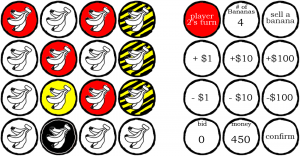
The Collectorsby Haitham Ennasr, a 2-player banana trading game with Texas hold em fun!
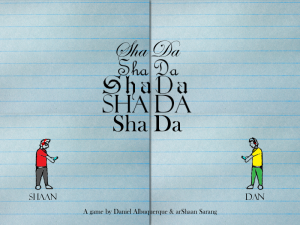
ShaDaby arShaan Sarang and Daniel Albuquerque, ShaDa is a game made using processing. For this game, we created our own graphics (except the paper) and our own sounds. The players gets to choose between me or Daniel and the point of the game is to graduate. To graduate you have to beat up three professors. Each level is set up in a different way. For example, one of the levels is designed to look and feel like a space shooter. Play on Mac : Shada
Play on PC : Shada
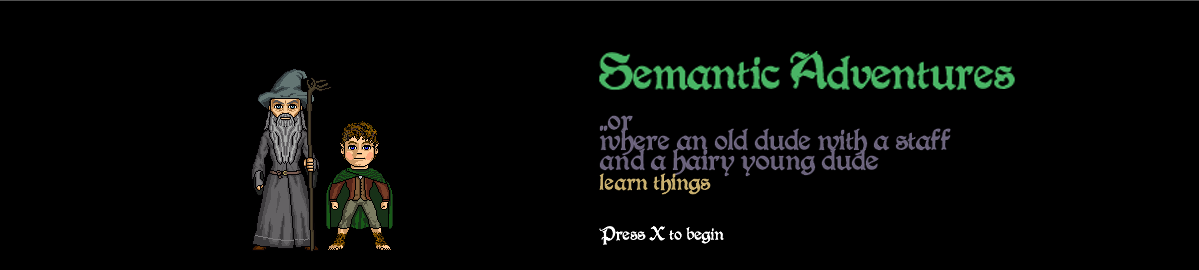
Semantic Adventures by Mohini Dutta, don’t underestimate the creative power of words!! Also feat. Frodo, Legolas, Gandalf, troll, and Rich Uncle Pennybags, all in one game!
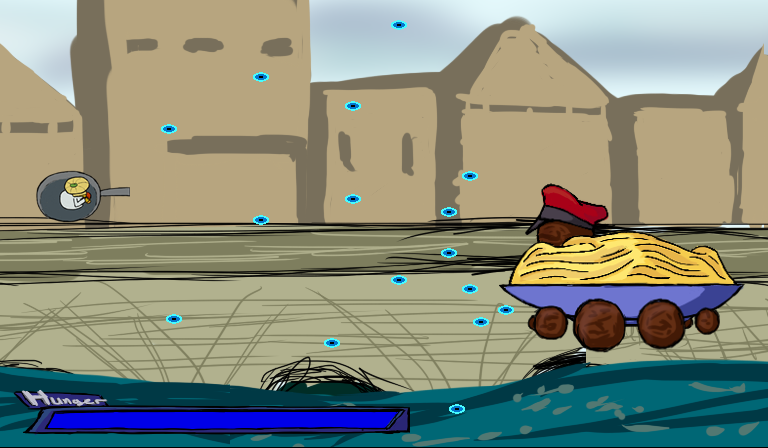
COOKING SHOOTING by Bryce WilliamsFrying, pan shooter in a culinary crisis. Cook those enemies into delicious dishes with burning missiles! *comes with complimentary boss fight!
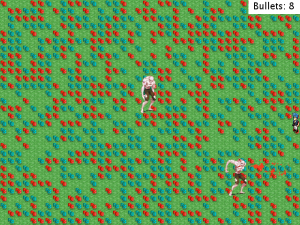
Zombie Sweeper by Maxim Safioulline, zombies raised from the field of mine sweeper. Shoot gun? Of cause, but you have to sweep mines to get bullets!
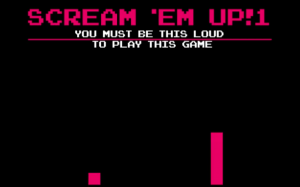
SCREAM’EM UP! by Jane Friedhoff, The loudest Kinect shooting game ever! SCREAM TO SHOOT!
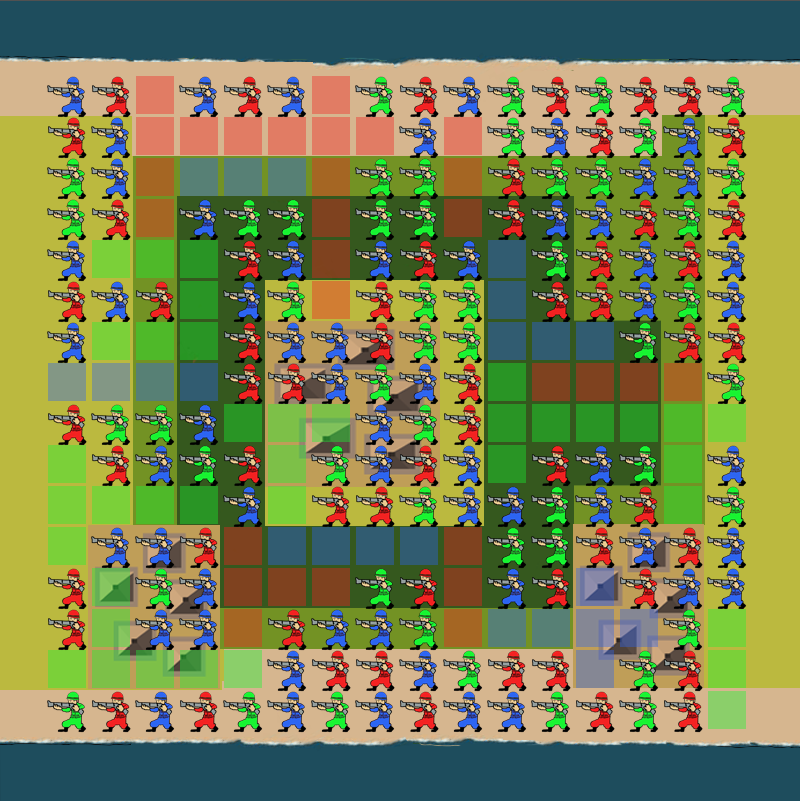
Battle Isthmus by Andrew Knaup, a 4-Player territorial match 3 game. Looking forward to the combo actions!
Drake-o-matic was one of the prototypes made for an old project. It was used to demo different trait combinations and how the physical features will look like on a small and chubby drake. The project eventually went for a more realistic look, but I had great fun making these little things.
I and two of my beloved collaborators, Albert Dang and Stephanie Tang, joined this year’s Digital Media and Learning: Game Changer competition. Our goal is to design and build a series of game levels in Little Big Planet that have the potential to maintain players’ attention span and help them form active knowledge around geometry. We eventually won the first prize, Best in Class: Innovation and people’s choice award. We were awarded twice by Aneesh Chopra, the United States Chief Technology Officer at the time, one in New York during the Games for Change conference and the other one in E3 2010 for the people’s choice award.
Sackboys and The Mysterious Proof (Sackboys for short) is a multi-player game consisting of eight levels built with LBP developed by Media Molecule. The game helps players master the foundational principles of geometry. Like solving a mystery, each level builds upon the previous and increases in difficulty along with the geometric theorem being covered.
All levels are designed to be played in a living room without instructor co-play or any kind of supporting materials. At the heart of every level designed is our conscious decision to alternate active gameplay (play) with narrative moments (story). The active gameplay engages the players with puzzles that stem from geometric principles, while the narrative moments give them a chance to process and absorb the concepts within. This a tactic commonly used in AAA console game titles, such as Uncharted 2, to gradually introduce new gameplay controls to players while engrossing them into the story of the in-game world. We spent the majority of our time paging through textbooks, constructing a curriculum, defining learning goals, developing a core story, marrying gameplay with narrative, and creating paper sketches and prototypes. Visually, we built each level based on a set of defined assets that are heavily influenced and inspired by Tim Burton’s works. We also look into historical mansions and castles specifically in the styles of Neoclassicism and Gothic.
As a team of professional educators, game designers, and user interface and experience experts, we looked at high school mathematics standards on geometry and extracted the foundational principles that pertained to the relationship between points, lines, angles, and triangles. We also had an extensive, but casual, meeting with a practicing high school geometry teacher in Yonkers to discuss the successes and shortcomings of New York’s current day geometry curriculum. Post research, the team came to a consensus and made an informed decision to flesh-out/develop Sackboys as eight platformer/puzzle levels based on geometric concepts that define triangles.
While working to expand the scope of our project with the additional funding from the Digital Media and Learning Competition’s People’s Choice Award, we soon came to realize the difficulty in finding a single proof that encompasses all the concepts that we deemed essential to a solid understanding of geometry basics. As a result, the original one-proof-one-level concept evolved into a series of eight themed levels based on foundational geometric concepts that build upon one another and progressively increase in difficulty.
The updated breakdown of the eight levels are as follows:
Graveyard (outdoor level)
Concept(s): line segment, angle, perpendicular and parallel lines
Themed elements in level: steerable handles, network of tree branches, spiders and spider webs, trapped earthworms, bone piles, crows, tombstones
This is the path leading up to the haunted mansion and where players are first introduced to the game’s back story. The level opens with a short introduction that reveals the mansion’s history and the legendary treasure its owners left behind. Players then cross the castle moat, navigate through the trees, shrubbery, and tombstones of the graveyard, and arrive at the mansion’s back door where they meet the spider mini-boss. In order to make the play-through experience more dynamic, we put in simple enemy AI and varied the terrain. The Graveyard level boss fight uses spotlights/torches to light up parts of an otherwise dark graveyard. These lights not only enhance the level’s visual appeal and accentuate the narrative drama in the boss fight, the rays are also used as devices to demonstrate how intersecting lines create angles. When players apply their knowledge of line and angle to maneuver the lights and attract the spider boss to a trap, the levels is cleared, and they are allowed through the back door leading to the Kitchen.
Kitchen (indoor level)
Concept(s): sum of angles in a triangle is 180 degrees
Themed elements in level: pantry, mice, cheese cellar with incomplete cheese wheels, giant roach that shoots out collectible cheese puzzle pieces, cat mini-boss (that we affectionately named Meowser)
The core mechanic of the first half of the level is to collect cheese wedges of varying sizes, mix and match the angles, and fit them into the partial cheese wheels to make them complete 180 degrees. After some practice with the mini-game, players then progress to take on the cat boss, Meowser. While Meowser attacks, the players must knock out each of Meowser’s eyes and place the corresponding wedges into the triangular posts that support the crossbeam beneath Meowser’s feet. Doing so will bring down the crossbeam, defeat Meowser, and allow players to move on to the next room.
Themed elements in level: fish tanks, triangular fish, mirrors, ladders made of shapes, mix and match sludge monsters
This hallway itself is constructed of a series of puzzles. The goal of each puzzle is to clear a path so the circular fish food pellets can roll down to the hungry fish. Using identical in-game stickers, players can clear parts of the board by tagging congruent angles. There are fail states that indicate player performance, so the act of tagging is a meaningful choice with feedback for educational reenforcement.
Library (indoor mini-game(s))
Concept(s): ASA, SAS, SSS
Themed elements in level: tag, mix and match book titles, librarian, book warms, moths, green lamps, fireplace.
In the Library level, books, ladders, sculptures, fire wood, paintings, and many more objects one might find in a library of the early 1900s are used to represent and reinforce the three different triangle congruence theorems: ASA (angle-side-angle), SAS (side-angle-side), SSS (side-side-side). The level opens with players emerging from a vault. They are then tasked to travel up an expansive bookshelf wall by pushing together rolling ladders of equal length to form triangular platforms of SAS congruency. Along the way players encounter the ASA, SAS, SSS bookworms that block their path. These worms will clear a way for the players to pass if they are fed Angle books and Side books in their respective order of preference. Based on research, a common misconception of introductory geometry students is the assumption that if all three angles of two triangles are congruent, the two triangles must be congruent. This mini-game is designed to drill in the fact that AAA (angle-angle-angle) is not one of the three congruence theorems. Several more mini-games of similar nature are seeded along the path to the next level, the Theater.
Theater (indoor level)
Concept(s): rotation, translation, reflection
Themed elements in level: cranks, switches, stage designer, animal props made of triangles (like tangrams)
In the early parts of the level, the players must advance past physical obstacles (messy stage props), but moving the triangle into a position that will act as a step to a moving platform. In certain parts, two or more players have to work as a team–e.g. one player must travel across the room to activate a switch that translates/reflects triangles back for the remaining players. The mini-boss of this level is the Congruent-zilla! He emerges from the bottom of the screen (similar to the kraken in Media Molecule’s Pirates of the Caribbean downloadable expansion). Once he has fully emerged, players can then use cannons to attack from below. The only way for players to defeat Congruent-zilla is for players to cooperate. To load cannons on the bottom platform, a player must operate a crank that rotates a triangular cover that refills gunpowder. In the middle is a triangular platform that a second player controls and translates between the left and right sides of the room. At the highest level, a third player flips combo switches to reflect electric triangular spears to attack Congruent-zilla from above.
Planetarium (indoor/outdoor level)
Concept(s): similarity
Themed elements in level: stars, projection, rocket launcher, fireflies, electrified objects, darkness, neon signs, similarity properties as a navigation tool
Players enter the Planetarium tower at ground level via an elevator. The goal is to fix the broken projector in the center of the sky dome. The level consists many small obstacle courses that are made of similar and dissimilar shapes. Players will have to make conscious decisions on where is the next similar platform to jump onto.
Japanese Bathhouse (indoor mini-game)
Concept(s): Pythagorean Theorem
Themed elements in level: tile work repair, soap cutting, bathhouse clerk
Chapel/Prayer Room (indoor level)
Concept(s): SOCAHTOA
Themed elements in level: sticker coloring, wave-like flooring, analogue to digital environment transition, statues, fractions related puzzle.
Four of the eight levels were developed to be revealed at the 2011 Digital Media and Learning Conference held in Long Beach, California, but only two were shown due to technical difficulties.
Sadly, one of the three founding team members, Albert Dang, permanently relocated to Hong Kong and resigned from the project in late 2010. Since then, we looked at different ways to trim down the production scale in order to complete the project. We omitted some cut-scenes and simplified the puzzles in the original document while preserving the core game mechanics. Based on our redesigns, all eight levels were published in different formats such as mini-games, tutorials, and regular levels. The redesigns still hold true to our original manifesto.
All-in-all we are extremely thankful to HASTAC and our People’s Choice Award supporters for granting us the rare opportunity to develop a budding idea into a realized project with assistance and funding, as well as bringing together members of the digital media and learning community with like minds and the common interest of furthering STEM education using modern technology via forefront platforms.
We decided to use Quollywood in one of Lara’s wellness sections this trimester to help students understand and respect each others culture in our diverse student body. We decided to bring in extraterritorial creatures to Earth and questioning about humanity and kids have to work together to defend their native cultures. Prior to the SMALLab section, each kid will bring a picture of food, sports, games, or fashion that is significant to their culture and be ready to talk about it. These pictures are dynamically loaded into the app. When the game starts, Lara, the voice behind the aliens will do the introduction and the first group of kids will be “beamed-up” to the spaceship through a webcam. The conversation starts, spectators are welcome to join if they asked politely and be respectful to others culture. The stratification meter, assessed by the teacher secretly, will increase over time to power up the spaceship, Aliens eventually flown away with respect to Earth!
I decided to write some HOW-TOs on this particular model this weekend since I am responsible for Burcum’s purchase. First of all, please read through the Datasheet (revision 4). That is the number one thing you do every time when you encounter new technology. In the revision 4, G4 added in a new picture of how to wire µOLED-128-G1 to a micro controller, which is extremely important because the wiring is slightly different from the older models, 10k resistor is no longer required. You can wire all the pins (1,3,5,7,9) directly to your Arduino board (5v, RX, TX, GND, Pin 5). I connect the reset pin to pin 5 on my Arduino board, this will work with the code/library later. I also put together a small break-out board so I can take it with me anywhere, so nerd, yes I know.
SOFTWARE
The Arduino driver I found online is outdated, it was made for Arduino 011 when printByte was still working. I rewrote them into a library for Arduino 017 or later based on the old code by Oscar Gonzalez, download it here. Unzip, drag the entire folder and put it in the libraries folder inside of your Arduino app. The library should have everything you need to make a pong game, a portable interactive narrative thingy, omg a D&D text adventure!! In the following sample code shows how it works: Simply create an uoled instance with the reset pin number as the parameter, and you can access all the drawing functions in the library.
DISPLAY IMAGES
Now displaying images using microSD, uOLED-128-G1 has an upgraded micro SD/SDHC reader. Here are the requirements: On-board uSD/uSDHC memory card adaptor for storing of icons, images, animations, etc. Supports 64Mb to 2Gig micro-SD as well as micro-SDHC memory cards (4GB and above).
However, just by dropping images into the SD card didn’t work out for me because to display an image, uOLED requires sector address to retrieve the image from the SD card. Sector address, briefly speaking, is the minimum memory unit in SD card. In order to get those addresses, we need to organize our images though G4’s Graphics Composer Software, the bad news is it only works on Windows. For the format of your SD card, I would try to format the cards in the Windows command prompt which can do an unconditional format and specify the filesystem. Figure out the drive letter of the card, let’s say it’s F:\, run the command prompt, and type:
format f: /u /fs:fat32
Plug the SD card in, get your pictures together and open Graphics Composer on a PC. Start a new project, save it in a new folder since there are going to be multiple files generated at the end. Right click on the left column to add new media. Once done adding, save and right click Device on the menu bar and choose Load Options, check “Serial Command Platform” and find your micro SD adaptor. Now click Device/Load. When finish loading, look at the folder you save the project, there should be a txt file. Open it up, look at the Data line of each picture, and write down the last three HEX numbers, those are the sector address of each picture. Eject the micro SD and insert it to your uoLED. You are all set to load pictures now! Enter the code and replace the last 3 HEX with the ones of your picture.
library v01 reference:
uoled(int resetpin);
void OLED_Init();
int GetRGB(int red, int green, int blue);
void OLED_Clear(); //clear the screen
void OLED_DrawLine(char x1, char y1, char x2, char y2, int color);
void OLED_DrawRectangle(char x, char y, char width, char height, char filled, int color); //filled=1, not filled =0
void OLED_DrawCircle(char x, char y, char radius, char filled, int color);
void OLED_DrawText(char column, char row, char font_size, char *mytext, int color); // font size (0 = 5×7 font, 1 = 8×8 font, 2 = 8×12 font)
**Note: Columns and rows are determined by the font size, the bigger the font size, the less columns and rows available on the 128X128 screen.
This interface is an early prototype and built for Mike Sy Lee’s thesis project – momentum.
…This interactive web application uses different data visualization techniques to help users organize and understand their memories. Momentum focuses on the studies of autobiographical memory and interaction design to develop a system that makes reminiscing an enjoyable experience.
Found this vintage game for my TI 99/A4 today in a thrift store. It is a fun, engaging, and brain twisting game. Multiple giant meteors are approaching player’s space station in various speeds, each of them is carrying a multiplication problem on it. Player has to destroy them before any one of them hit the station. Player has to pick a meteor, enter correct answer to target’s multiplication problem, and then shoots a leaser. If the answer is correct, the meteor will be destroyed, other wise, it will pull the meteor even closer. Player has to destroy all 8 meteors in order to pass the level, and they get faster and faster as level goes up.
I imagine this could be a fun and engaging game in SMALLab. The game puts players in the center of tension. Burning meteors approaching from all different directions in various speeds. Players have to charge their laser cannon, find the most threaten target, calculating attached multiplication, and blast the target with their answer-embedded laser beam.
I designed 4 posters, it was so much fun revisiting my old tool bag and doing something different for a change!
[Copied from Colleen Macklin’s blog post] BGCA GameTech Program is a two-unit program utilizing principles of active learning to teach how to program computer games. The curriculum is designed to expose Club members to a number of important skill sets—systems thinking, introductory programming concepts, principles of game design, and the process of iterative design. The program utilizes a four-phase system modeled on the iterative design process—Think, Design, Play Test and Change.
Colleen Macklin here
Colleen Macklin & John Sharp in Different Game conference: here
Petlab here
-Too many choices for me on a portal site, don’t know where to start.
-I want to know how everyone browsed through the web site I am in, it serves as a reference for how I am going to browse through the same site.
Imagine visiting a portal site and stunned with all the options, lost and confused.
By click of a button on your tool bar, the browser will create a black-and-white version of the web page, the color of each link or button will be in grey scale determined by how popular they are based on collected data over time, white color being the least popular and the black being the most popular.