Skip to content

A PLAY EXPERIENCE MAKER'S WORK LOG FOR FUTURE SELF©2001 – 2023 Kyle Li 李肅綱 All Rights Reserved.

Category: Uncategorized

Kano Wand

Posted on June 24, 2021 by admin

Useful links:

Kano Wand Hack:
https://hackaday.io/project/161832-kano-wand-hack
Bluepy Based Solution:
https://www.instructables.com/SmartWand/
Arduino Wifi Rev2 and ESP32:
https://github.com/sabas1080/KanoWandHack
Unofficial library: 
https://github.com/anzellai/wandkit
Bidirectional communication between Kano Coding Wand and Client connection. 
https://github.com/anzellai/bluewand
SOAI (Tiny Open Source API) to speak with the KANO Wand 
https://github.com/wizofe/bluewand-python
Demos using the Kano Wand python module
https://github.com/GammaGames/kano-wand-demos

Put that Gucci on, VRChat style!

Posted on June 16, 2021June 19, 2021 by admin
  • Purchase the virtual product in the Gucci app for $12.99
  • Before sending the download to yourself or anyone you would want to share the content with, there is a long instruction, long but still unclear.
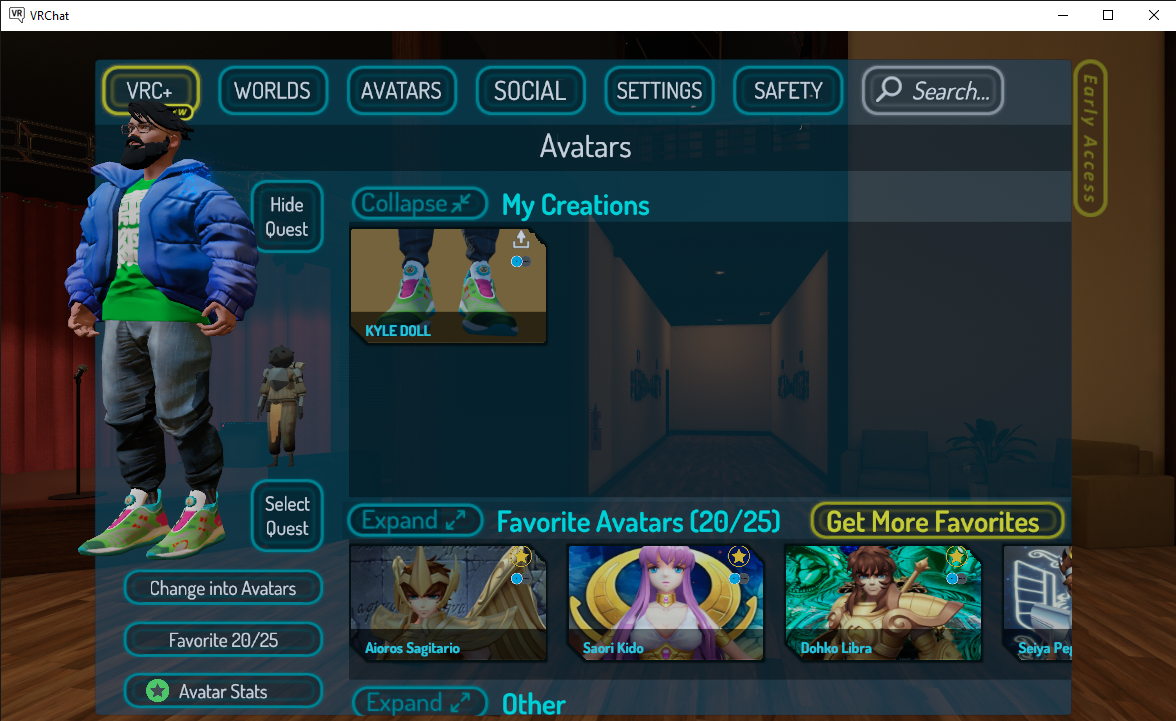
  • I first create an avatar with https://vrchat.readyplayer.me/avatar and download the FBX file.
  • Two weeks later – I finally got my New User status.
    It was a little frustrating at the beginning. Based on the internet, I need 10 hours of gameplay to get to the New User status which allows me to upload Avatars and Worlds to the lab community. I did that but nothing happened. A kind player in VRChat told me that I need to make friends too. Oh, why I didn’t think of that. After I made one friend, the next time I logged in, I was promoted to New User. And I got this in the e-mail.
  • I brought the Gucci model into Maya and separate the shoes from the model they came with and put them on my VRChat avatar.
  • Install Unity 2018.4.20f1 that is recommended by VRChat.
  • Upload my Avatar by following this tutorial – in 5 minutes.
    https://vrchat.fandom.com/wiki/Quick_Start_-_Mixamo_Avatar_Creation
    I believe this was written for SDK2 but works for SDK3, especially when selecting the Animator Controller. I use the T-pose one from SDK3 and it works fine. I was able to upload, however, my sitting and ducking animations were messed up…
  • To make it work for both Quest and PC, I have to upload the avatar twice. Once in Windows mode and the other in Android mode. The official tutorial online recommends duplicating the project.

Now upload D1208:

  • I am following this tutorial:
    https://docs.vrchat.com/docs/vrchat-home-kit
  • I realized SDK3 World and SDK3 Avatar can’t be in the same project.

ZOOM Meeting Exit Act III – End of Semester Celebration

Posted on May 12, 2021May 17, 2021 by admin
ZOOM EXIT

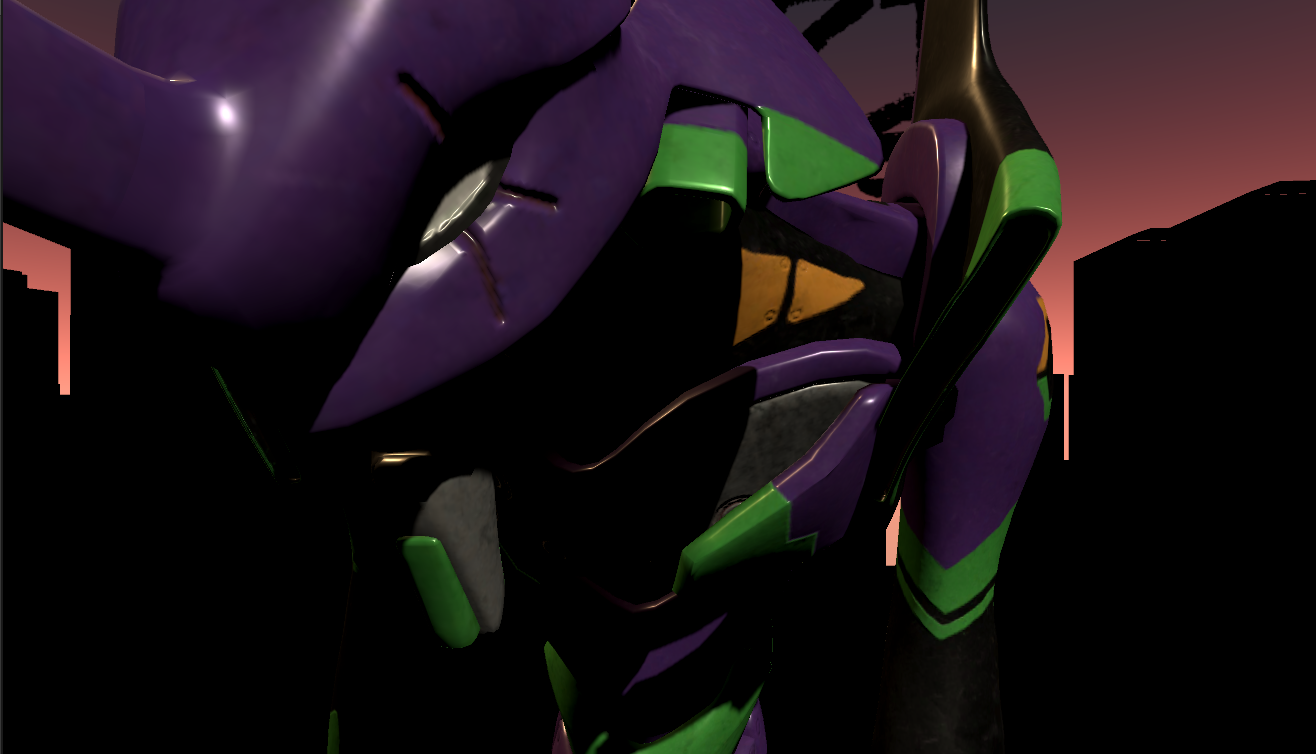
Just in a few hours, I am going to participate in the graduation ceremony for our Class 2021 cohort. I worked with a good portion of them extensively in their first year of school in virtual reality and playful experience design. I wanted to make something to remember them by. It is purely impulsive and based on no research or data. It is very last minute, but I decided to celebrate this moment with a new exit act.

After we moved the learning online after the pandemic last year, I have been experiment with different online identities. From animated characters with face tracking to cosmetic filters, it was an unexpected adventure into a world of digital tools that I didn’t care much for. During those experiments, I created a thing called exit acts – exit zoom meetings with style. I created one for taking off in a Gundam RX-78 and another one for flying away with Spike’s Swordfish II from Cowboy Bebop. Jamming it out with an EVA – 3 from Neo Genesis Evangelion seems like a reasonable next project.

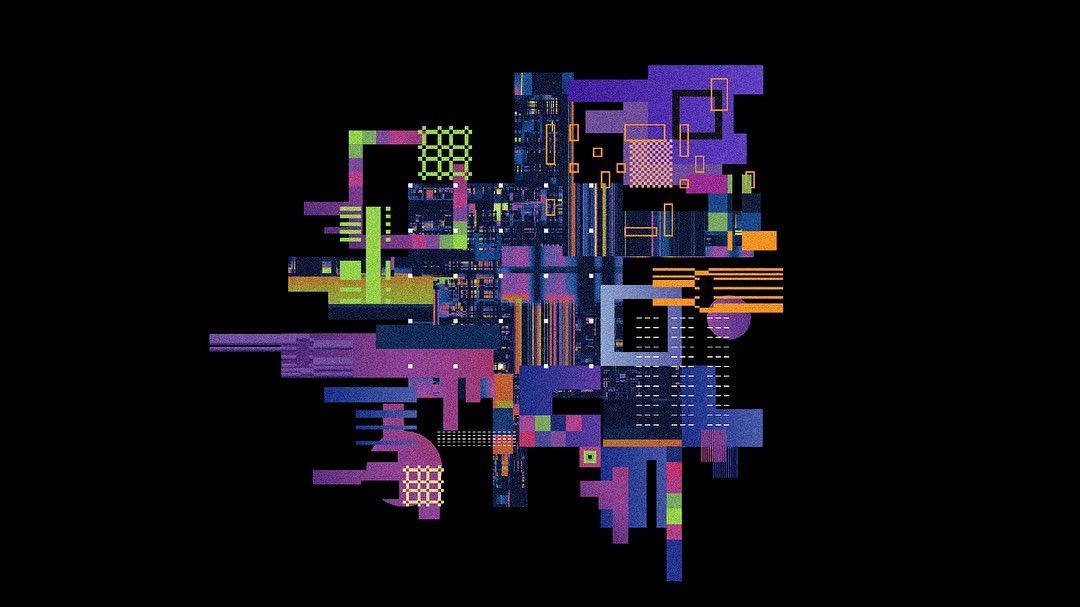
MFADT Class 2021 Visual by @major_benny

My teaching assistant, Sharon, told me that the overall visual scheme of their thesis website was inspired by the color scheme of the animation -Evangelion. Time to collect some assets and put together a theme. I want to use a cityscape silhouette to create a high contrast between foreground and background similar to the technique used in some of the Fortnite banners.

Evangelion Unit 1:
https://sketchfab.com/3d-models/evangelion-unit-01-49c7a77272c84154a711d7cfd5cb47f4

Evangelion – Entry Plug(with sound):
https://sketchfab.com/3d-models/evangelion-entry-plugwith-sound-3e4245a5f40b45eca02dab55e6b47a93

Here is the end result:

SUSHI – 1

Posted on March 20, 2021April 2, 2021 by admin

SUSHI – 1 is pronounced as SHUSHI /ˈʃuːʃi/ One like how a 7th-grade kid would pronounce it. It is a pre-programmed wireless game controller breakout system made for young makers or creative individuals who are interested in tinkering with gaming interfaces with the burden of building electronics from the ground up.

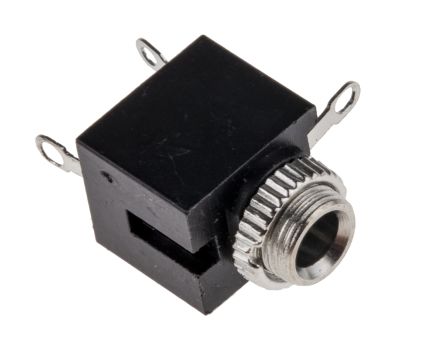
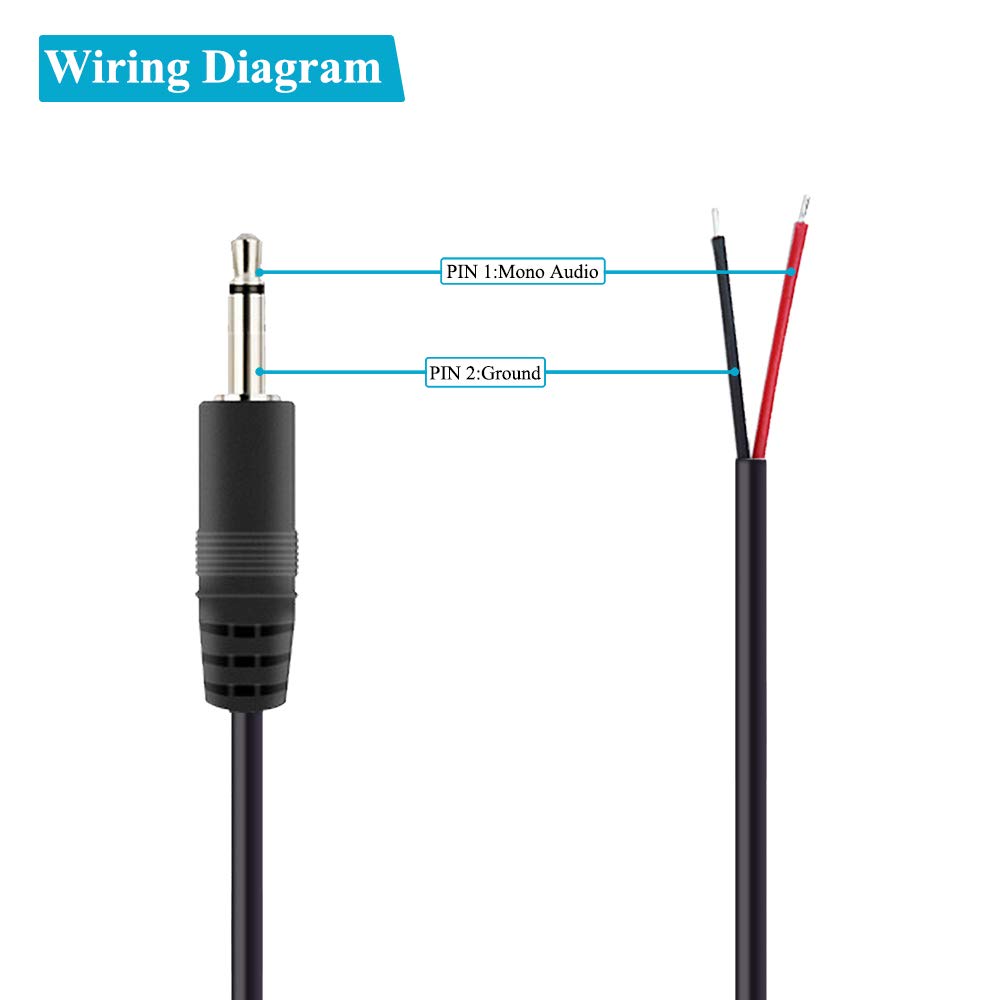
A 3.5 mm Chassis Mount Stereo Jack Socket

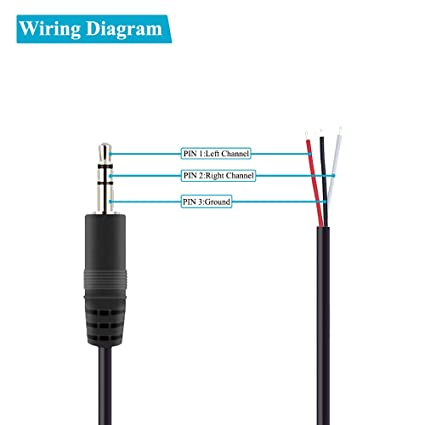
Three soldering points from left to right: Left channel (tip), Right channel (ring), Ground (sleeve).

  • Analogue Sensors
  • Digital Sensors

Arduino IDE 1.8.13
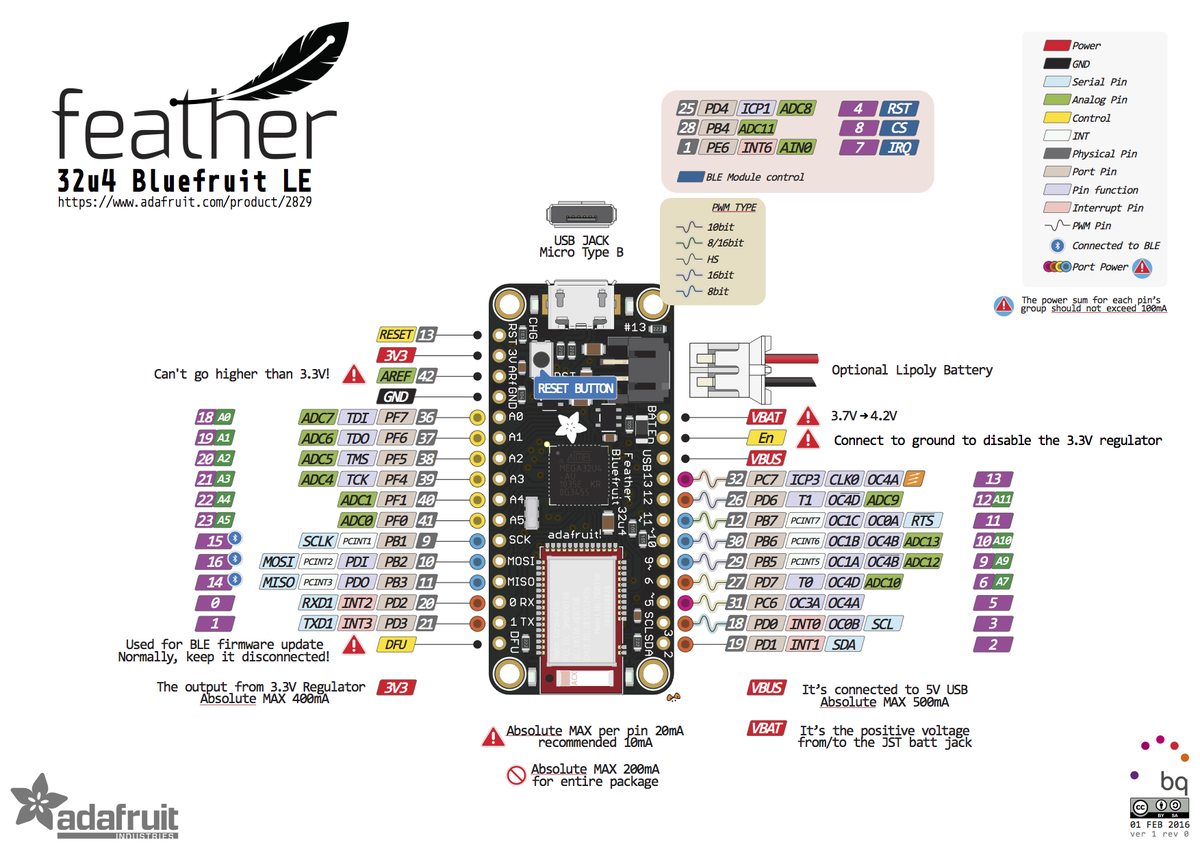
Board: Adafruit Feather 32u4 Bluefruit LE
https://learn.adafruit.com/adafruit-feather-32u4-bluefruit-le/setup
This setup page seems outdated. All the libraries mentioned are not available. Based on Adafruit’s HID keyboard tutorial, I found Adafruit BluefruitLE nRF51. This library has the example sketch I am looking for.

I am using digital pin 2, 3, 5, 6, 18, 19, 20, and 21 for this prototype.

Quest of Qumarion

Posted on March 14, 2021December 1, 2021 by admin

Giving a demonstration of my Qumarion setup in my AR Workshop 2015 with Shih Chien University in Taiwan

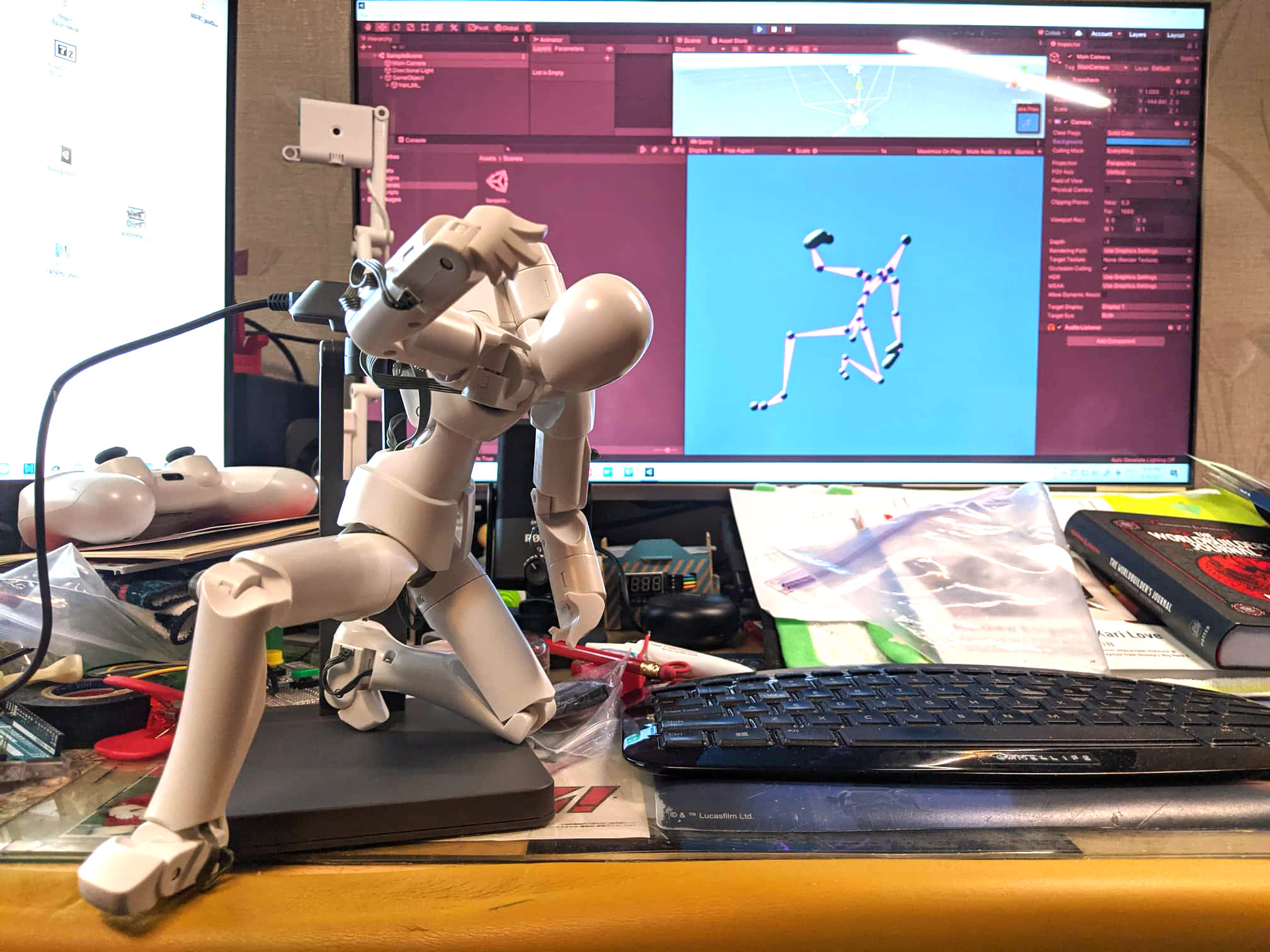
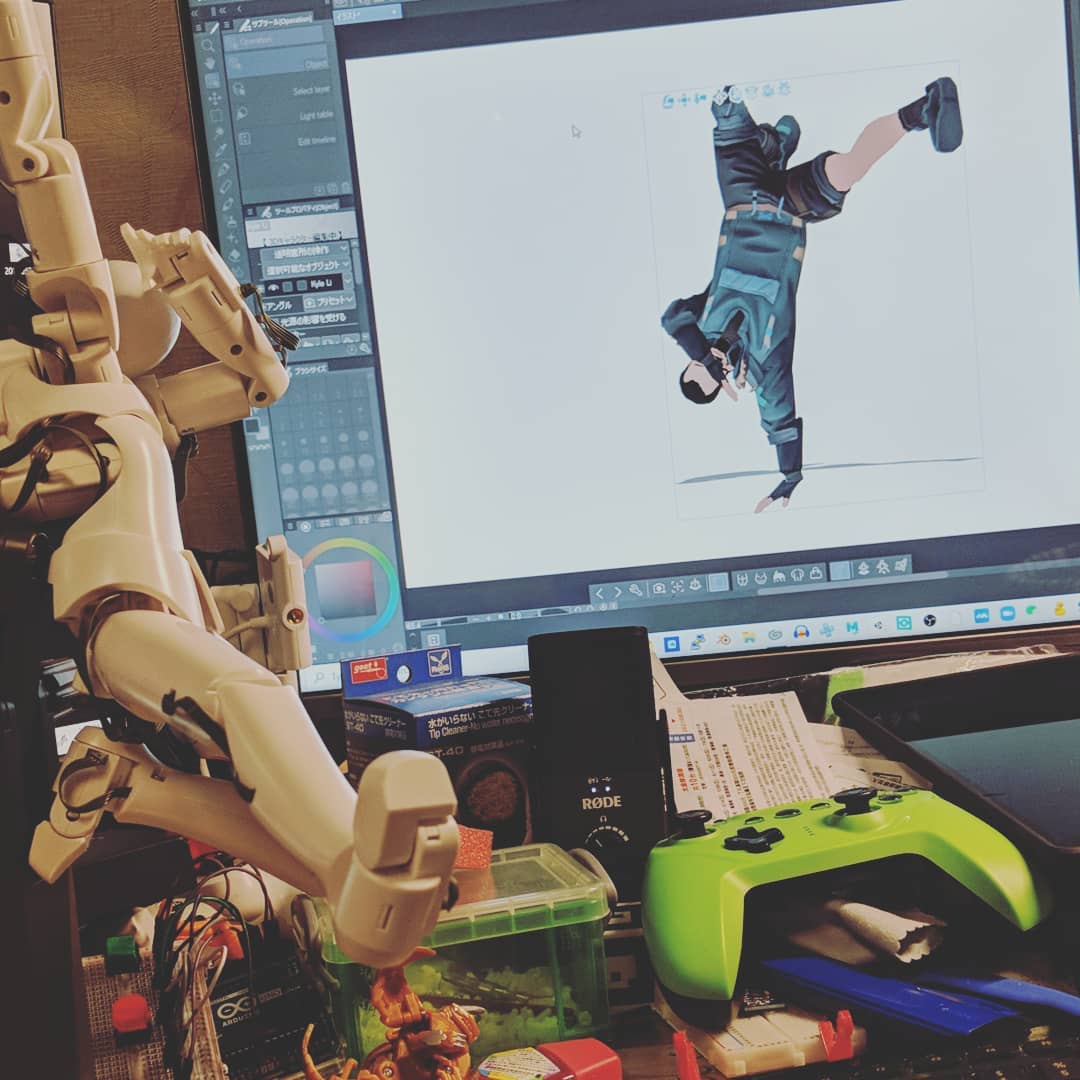
This is one of the longer journeys that I have gone through to figure something out. It took me about three years of on and off research in a language and a tech community I knew very little of. I was working on a project in Tokyo in 2012 and saw Qumarion for the first time at a computer store in Ikebukuro. It was a love of first sight because I was looking for alternative tools and pipelines for 3D modeling, rigging, and animation.

  • Qumarion in action within Unity 3D
  • My son took a shot at it.
  • by Aiden Li
  • chilling
  • shy

Helpful tools:

Scene Motion Capture:
https://assetstore.unity.com/packages/tools/animation/scene-motion-capture-19622
https://forum.unity.com/threads/record-playmode-animations-for-model.659917/

Unity’s Animation Rigging plug-in is capable of recording animation at runtime!
“12:20 …and if I keep that change it will be saved to the clip so during gameplay animators can create new animations…”

And in this STYLY tutorial:
How to record a character’s motion with EVMC4U and EasyMotionRecorder
https://styly.cc/tips/evmc4u_easymotionrecorder_virtualmotioncapture/
in which this jewel was mentioned:
EasyMotionRecorder:
https://github.com/neon-izm/EasyMotionRecorder

Card Game: Person, Woman, Man, Camera, TV

Posted on February 18, 2021February 18, 2021 by admin

I was obsessed with this video by Sarah Cooper and PWMCT should be a game, a card game.

2 ~ 6 players

A Candy Controller

Posted on February 15, 2021February 15, 2021 by admin
A Candy Controller

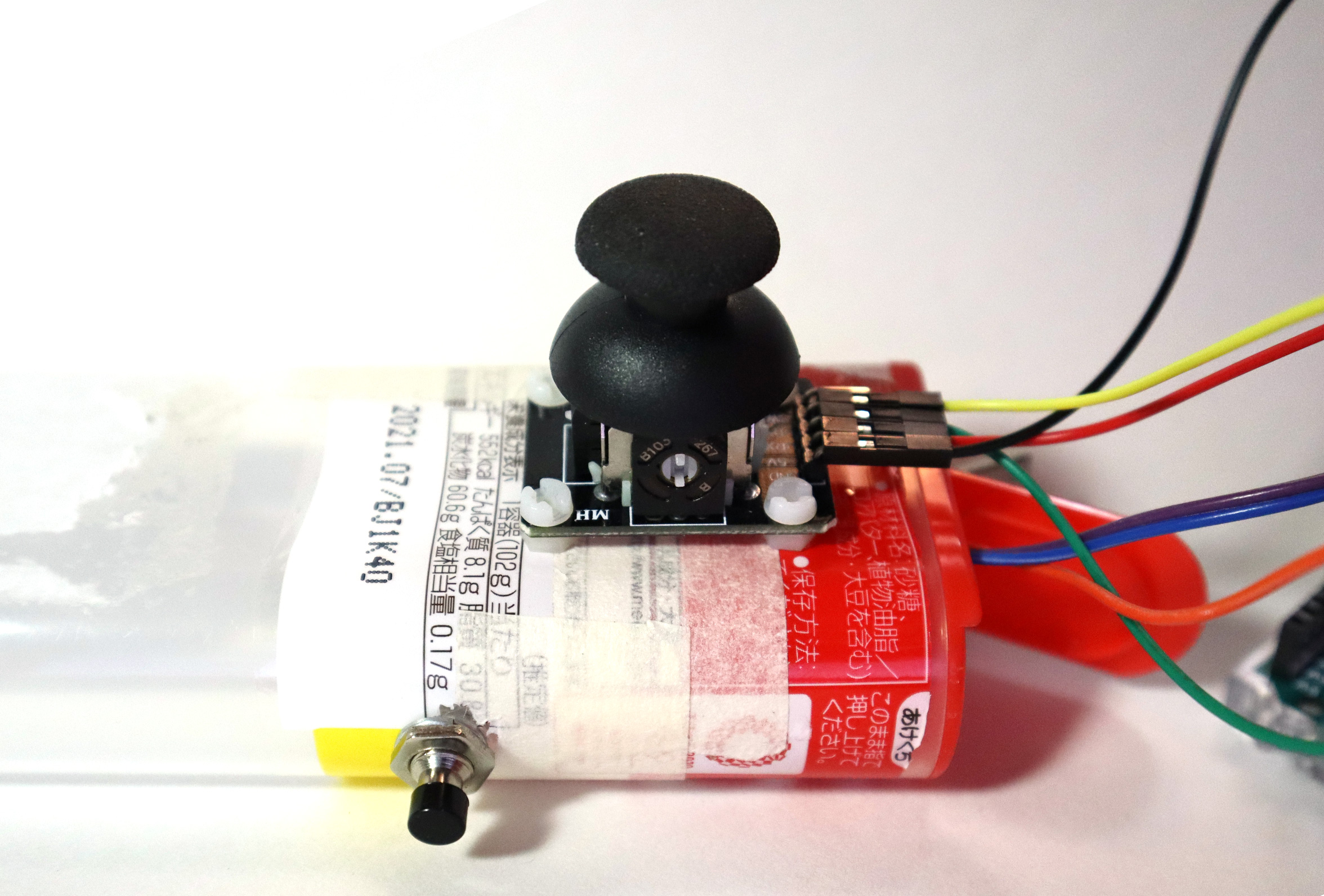
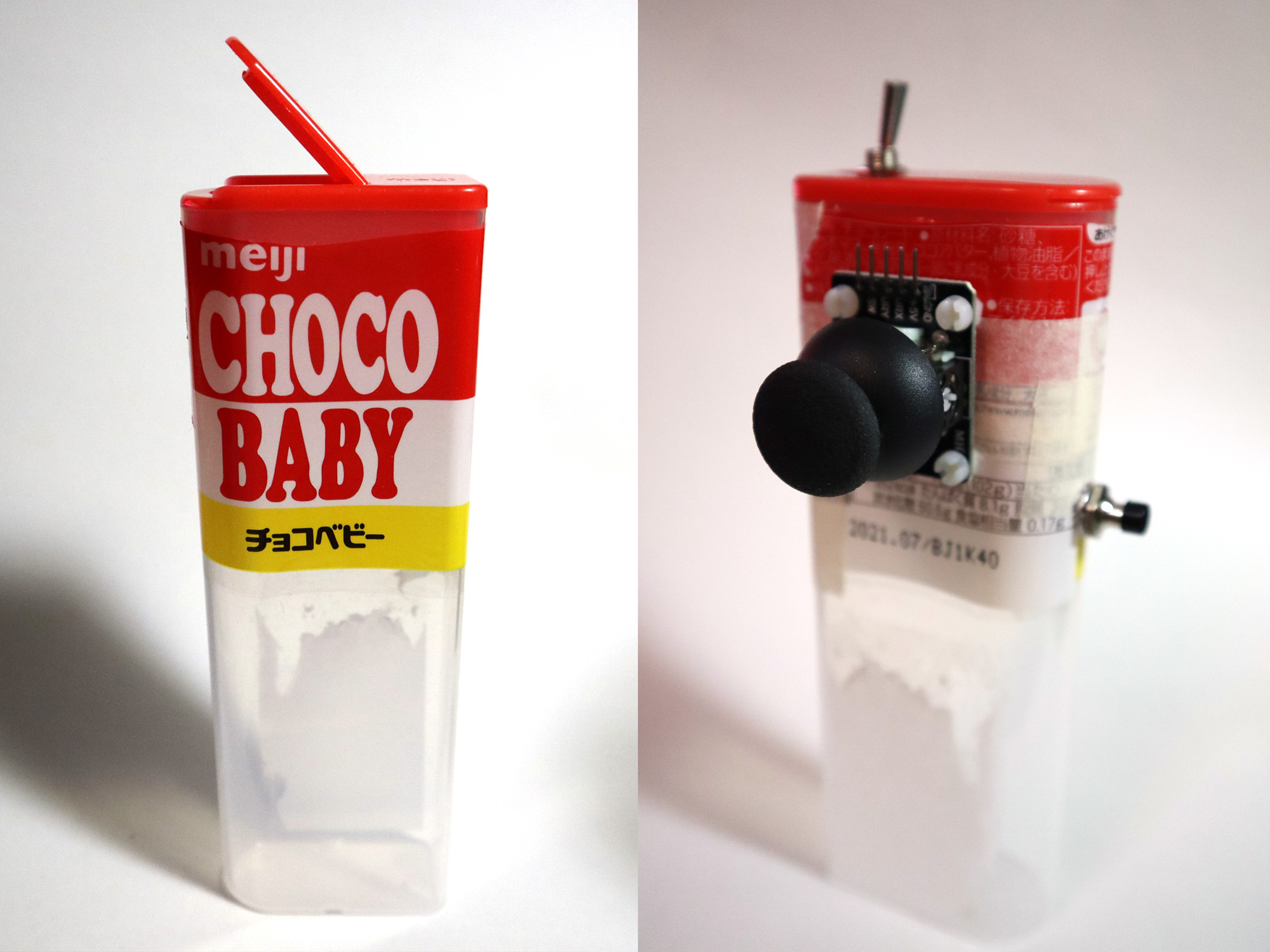
I did an HID mouse demo last week using two potentiometers and two buttons. It worked out fine but was really difficult to use as an alternate game controller. I found a thumbstick module and it worked so much better than the setup I had. I wanted to mount the thumbstick module onto something to make it easier to handle. I looked around in the house and found this perfect empty chocolate container. The shape of the container provides a firm grip for my triggering hand.

before/after

Quest for Elegance

Posted on February 9, 2021February 9, 2021 by admin

“It is not sufficient to write programs that work. They must also be ‘elegant,’ either in code or function – both, if possible.”

J.M.Graetz

Martin Graetz recalled the development process behind the first video game – Spacewar! in a magazine interview. He mentioned that the quest for elegance in code and function was the reason why hackers at MIT were so involved in refining the game. Spacewar! was originally created on a PDP-1 which was capable of doing very simple mathematical calculations.

“on the early PDP-1s, anything stiffer than integer addition and subtraction had to be done by subroutine”

Creative Computing Magazine, August 1981

Keeping elegance in mind when facing the most restricted hardware limitations, creative coders haven’t changed a bit since 1962.

A PDP-1 (Programmed Data Processor)

Puppet Controller

Posted on January 8, 2021January 15, 2021 by admin

During the planning of a workshop on Motion Capture recently, I was thinking about what to demo right after calibration. I remembered when I visited Disney World last time, I saw a super cool live performance called “Turtle Talk with Crush!” I thought it would be interesting to map a rigid body to a digital character in Unity3D.

To take it to a next level, bundle it with a game controller and turn it into an interactive puppet rig! I 3D printed an add-on to my PS4 controller and quickly put together a scene with free assets and there we go! This little red ghost lost in the woods did the job for me.

I found an existing add-on on Thingiverse and modified it on Tinkercad. It is using hooks and a rubber band to hang on to the controller on the back. I tried to find an angle to print so I don’t have problems creating supports, especially where the hooks are.

The final version

PS4 Controller Map for Unity:
source

Buttons
    Square  = joystick button 0
    X       = joystick button 1
    Circle  = joystick button 2
    Triangle= joystick button 3
    L1      = joystick button 4
    R1      = joystick button 5
    L2      = joystick button 6
    R2      = joystick button 7
    Share	= joystick button 8
    Options = joystick button 9
    L3      = joystick button 10
    R3      = joystick button 11
    PS      = joystick button 12
    PadPress= joystick button 13

Axes:
    LeftStickX      = X-Axis
    LeftStickY      = Y-Axis (Inverted?)
    RightStickX     = 3rd Axis
    RightStickY     = 4th Axis (Inverted?)
    L2              = 5th Axis (-1.0f to 1.0f range, unpressed is -1.0f)
    R2              = 6th Axis (-1.0f to 1.0f range, unpressed is -1.0f)
    DPadX           = 7th Axis
    DPadY           = 8th Axis (Inverted?)

A Cauldron Controller

Posted on December 25, 2020January 18, 2024 by admin

(Space) Cauldron is an electronic board game for 2 ~ 4 players. Players (alchemists) have to collect the right ingredients and cook them in the cauldron. Every ingredient works differently and could either enhance or cancel other ingredients’ flavors. Whoever successfully cook the item(s) on their unique recipe card wins the game.

The inspiration for this idea came when I was looking at multi-RFID readers. The technology is being used in the casino to count RFID embedded chips and it can read more than 1000 chips at once accurately. I wanted it as a game controller. However, the first model that I looked at was too big. Recently, when I followed up with the vendor and asked for code samples, I found out they have a new board with a smaller factor.

HF Embedded RFID Reader [RL86A] – 150mm x 150mm

This board can read multiple RFID tags accurately but does not know the location of each chip on the board. The first mechanic that I thought of is some kind of mixing pot. A magic cauldron is the best mixing pot there is.

There is a Japanese amusement game called JARASTA (ジャラステ 2017) which uses similar technology in its’ gameplay. However, there is no mixing fun, but just an interesting way of reading multiple game items at the same time. The stirring pot mechanic wasn’t really playing an important role in the game. I am interested in making the stirring pot and mixing ingredients the mechanic of my game.

It is worth mentioning there is another game called ゾイドワイルド バトルカードハンター (ZOIDS World Battle Card Hunter) that comes out later and shares the same game cabinet with JARASTA.

For someone who doesn’t speak the language, I had to learn these amusement games with prior knowledge and lots of imagination. ZOIDS was not an intuitive game to pick up mostly because of the disconnection between the gaming hardware and the actual gameplay itself. I eventually found out the RFID reader was not even a part of the game at all. This must be a project on a budget.

KY-040 and Adafruit Feather Bluefruit 32u4

–KY-040 Arduino Rotary Encoder User Manuel
–Arduino IDE setup

The sample code to work with:

 int pinA = 9; // Connected to CLK on KY-040
 int pinB = 6; // Connected to DT on KY-040
 int encoderPosCount = 0;
 int pinALast;
 int aVal;
 boolean bCW;
 void setup() {
 pinMode (pinA,INPUT);
 pinMode (pinB,INPUT);
 /* Read Pin A
 Whatever state it's in will reflect the last position
 */
 pinALast = digitalRead(pinA);
 Serial.begin (9600);
 }
 void loop() {
 aVal = digitalRead(pinA);
 if (aVal != pinALast){ // Means the knob is rotating
 // if the knob is rotating, we need to determine direction
 // We do that by reading pin B.
 if (digitalRead(pinB) != aVal) { // Means pin A Changed first - We're Rotating Clockwise
 encoderPosCount ++;
 bCW = true;
 } else {// Otherwise B changed first and we're moving CCW
 bCW = false;
 encoderPosCount--;
 }
 Serial.print ("Rotated: ");
 if (bCW){
 Serial.println ("clockwise");
 }else{
 Serial.println("counterclockwise");
 }
 Serial.print("Encoder Position: ");
 Serial.println(encoderPosCount);

 }
 pinALast = aVal;
 } 

Now the rotation only affects the bubbles. I had tried rotating the smoke as well, but my son thinks the whole pot is rotating. Maybe after adding floating objects/ingredients, the rotation will be more obvious.

Cauldron Controller Testing Video – 1

01/15/2024

Adding a herb cabinet next to the cauldron.

Herb illustrations (svg):
https://svgsilh.com/image/37616.html

Plants symbolized in the chant:
Eye of newt – mustard seed.
Toe of frog – buttercup leaves.
Wool of bat – holly or moss.
Tongue of dog – hounds tooth
Adder’s fork – violet
Blind worm’s sting – Knotweed
Lizard’s leg – Ivy
Howlet’s wing – garlic or maybe ginger (but garlic was more common)

There are variations but these are most common ones according here.

Posts navigation

Older posts
Newer posts

Recent Posts

  • BMP – Rearrange Colormap
  • Reset Allow USB Debugging? Notification
  • 8-bit Notes
  • AT29C256 90PI
  • Super-Toys Last All Summer Long

Archives

Proudly powered by WordPress | Theme: MiniZen by Martin Stehle.