Category: Uncategorized
Arduino + TENS unit
About 10 years ago, Zach Lieberman invited Daito Manabe to give a casual presentation at the Design and Technology program at Parsons School of Design. Right outside of room 1005, there was an open space in between workstations, he demoed a version of this piece, it was pretty cool.
8 years later, influencers made a couple of episodes explaining the magic behind the shock. I didn’t remember how Daito Manabe did it, I was young and careless. However, the setup in the how-to video below is simple and easy to build/hack.
The Electronic Massager Gold Hand is $16 USD each on Aliexpress:
https://www.aliexpress.com/i/32882500132.html
and $22.99 USD on Amazon:
https://www.amazon.com/XFT-502-Electrical-Massager-Gold/dp/B000JV7KM6
8 Channel DC 5V Relay Module with Optocoupler for Arduino UNO:
https://www.amazon.com/ELEGOO-Channel-Optocoupler-Arduino-Raspberry/dp/B01HCFJC0Y
How to build one from the ground up:
https://www.digikey.com/en/maker/projects/qwop-made-real-control-a-person-poorly-with-arduino/d18783116cfd4b0cb02a5bcd6b63e259
Other fun stuff:
1. https://www.sparkfun.com/news/657 (Sparkfun’s Mr. Twitchy)
2. https://www.instructables.com/id/Transparent-TENS-unit/
3. https://hackaday.com/2015/03/02/building-a-transcutaneous-electrical-nerve-stimulation-device-in-a-weekend/
4. https://github.com/SPARC-Auburn/PocketTENSUnit
5. https://hackaday.io/project/61539-twitch
Voice Memory
Digital cameras became more available when I was 20 years old, but the quality was very low. Smartphone didn’t exist for another 10 years or so. For someone who tried to document all moments in life, I had to carry 4 or 5 different cameras with me including a digital camera, a film camera, a polaroid, and a selection of speciality cameras.
There was a reason that I tried so hard to keep a trace of fun times. When I was in high school, a devastating flood hit our neighbourhood. Our house is one of the closest to the river bed so the first floor was submerged in the water in a matter of hours. It wasn’t the first time a flood had come to our house, so my brother and I started the preparation soon after we saw the water level rising. One of the main tasks is to move stuff up to the dry floors, and I usually started with stuff on the floor or in the bottom shelves.
As usual, we did everything we can to empty the first floor and the water was about 3/4 up the stairs from the first floor. Because it is mud water, we can’t see what’s under the water even with our military-grade flashlights. We were checking for the last time before we called it a day. This was when I notice a few old photo albums on top of a shelf just around the corner of the stairs. I couldn’t reach it by just standing on the stairs, I had to swim a little forward and around. I decided to go for it, my brother held the light up and I jumped into the mud water with my safety boots, swam over, grab the leather bond albums, froggy style back with hands in the air, and a piece of family history is saved.
The photo albums we saved contains pictures of my parents when they were in their early twenties. We were in shock because none of the pictures fit into the images we had for our parents. We realized they were young as fuck once. Sometimes, my parents would tell us crazy stories but we didn’t believe they were true and now we are looking at the photo evidence of their fashionable past. I thought, one day, my offsprings might recognize me like how I recognized my father – a middle-aged over-weight businessman who doesn’t seem to know what fun is for his entire life. This very thought had inspired me to take as many pictures as possible.
Disney Playmate ディズニー プレイメイト
Pop-up English ソフィア ポップアップ イングリッシュ
いずみ書房 Talking Repeater DX トーキングリピー タ
デジタルカードリーダー
トーキングカードレコーダー
トーキングカードプレーヤー
トーキングカード
リピートカードプレーヤー
Eiki Audio Visual/Video Products Language Master 1832 AR
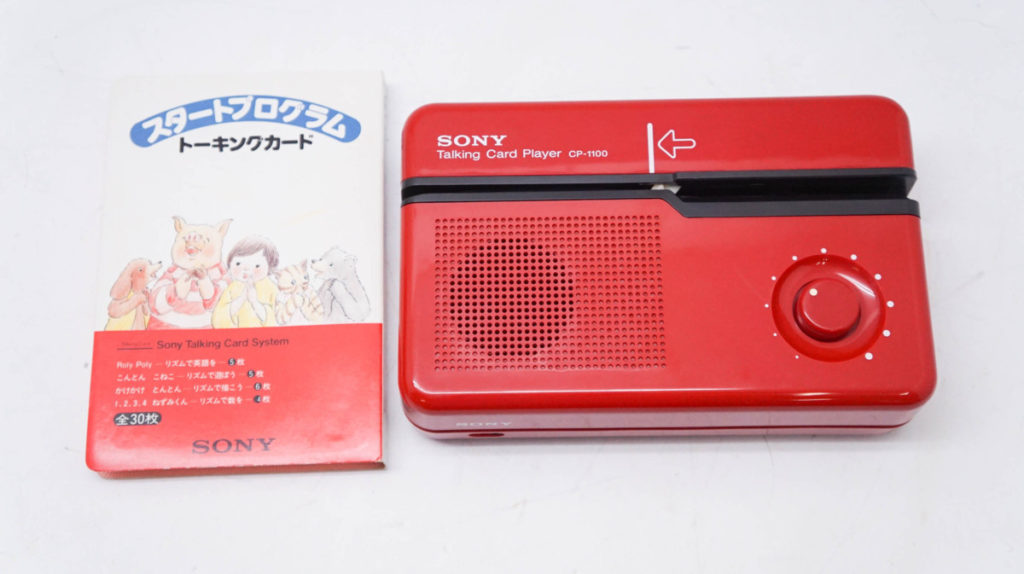
SONY ソニー トーキングカードプレイヤー CP-1100 and CP-33
NHK学園 CAI学習講座 スペーススクール
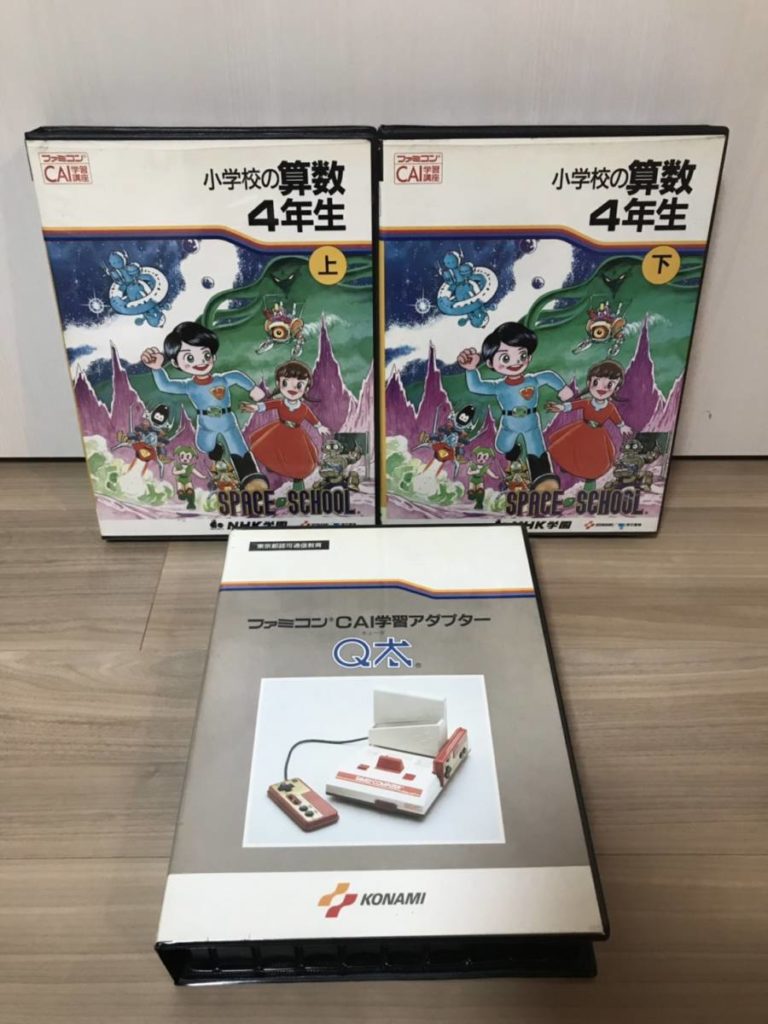
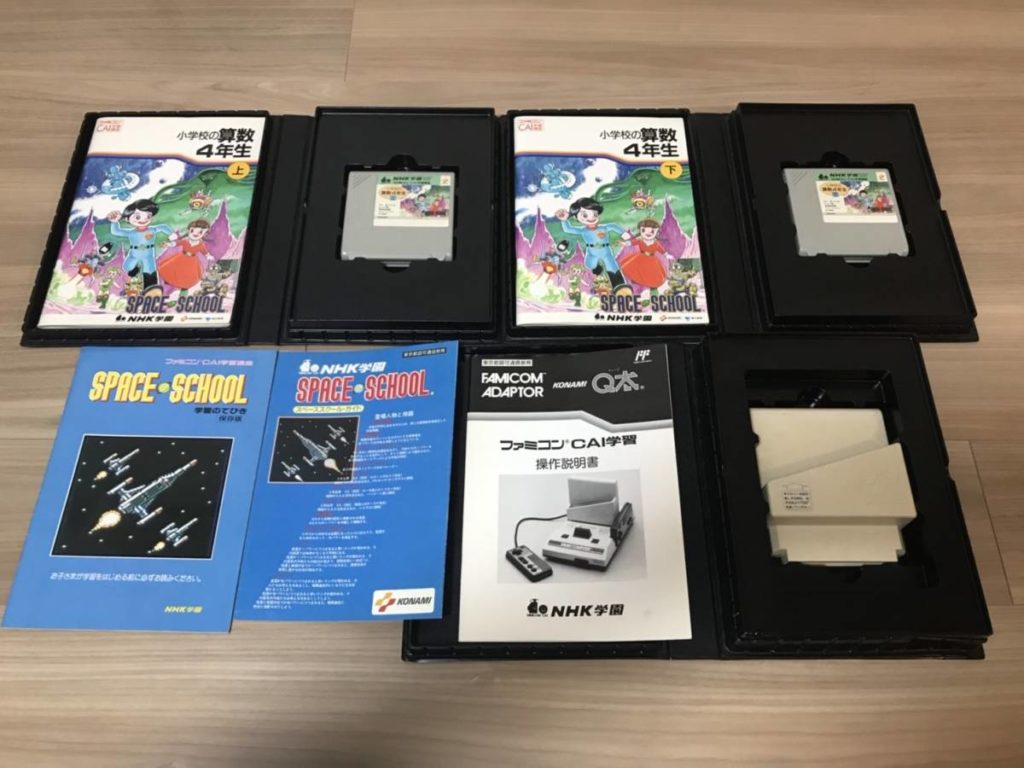
NHK学園 CAI学習講座 スペーススクール (SPACE SCHOOL) on Famicom is probably the earliest and the most ambitious digital learning network example I could find in my research in digital learning. Not many information available online since it existed way before the internet age. It is essentially a system of digital learning games made for Famicom with an elaborated assessment service that involved mailing the game save module (Q’da) back to NHK for a performance report. The first time I found the physical copies of them was in a secured class shelf in Nakano Broadway. Every time when I visit Tokyo, I make sure to pay them a visit.
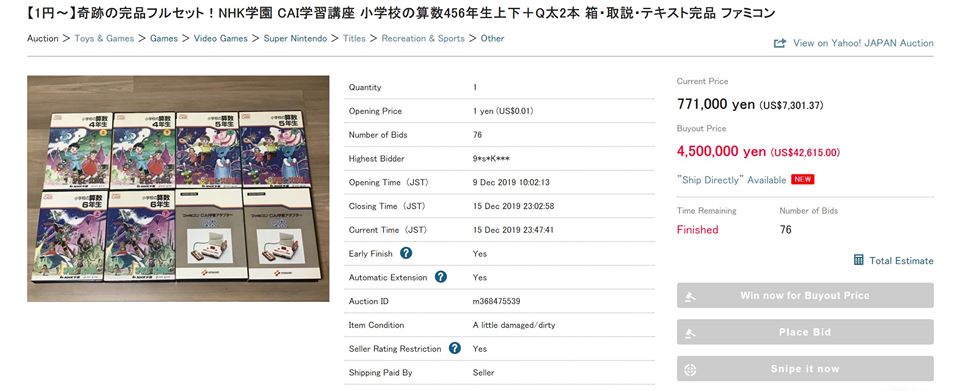
A complete set, 6 learning games + 2 saving modules, of grade 4, 5 and 6 went on Yahoo Auction last week with a 45K buyout. The auction just ended and fetched an impressive 7300 dollars, I hope whoever bought them makes ROMs out of them and shares them with me.
[Update] I think the auction didn’t pass the minimum price. The seller divided them into three auctions and put them on yahoo auction again. What a smart move, the three auctions ended up in around 5k each. That is twice as much as selling them together. It is a shame knowing this learning game example for more than 10 years now, one of the earliest, most ambitious, and coolest, still can’t afford to have them in my collection.
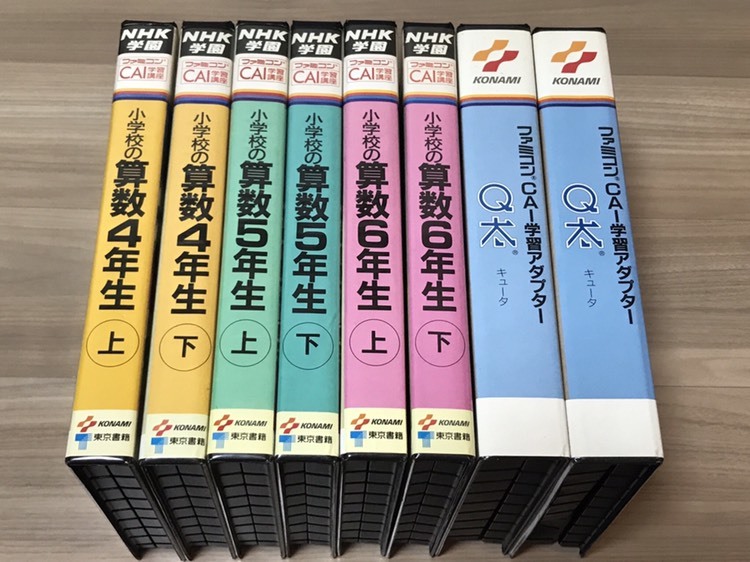
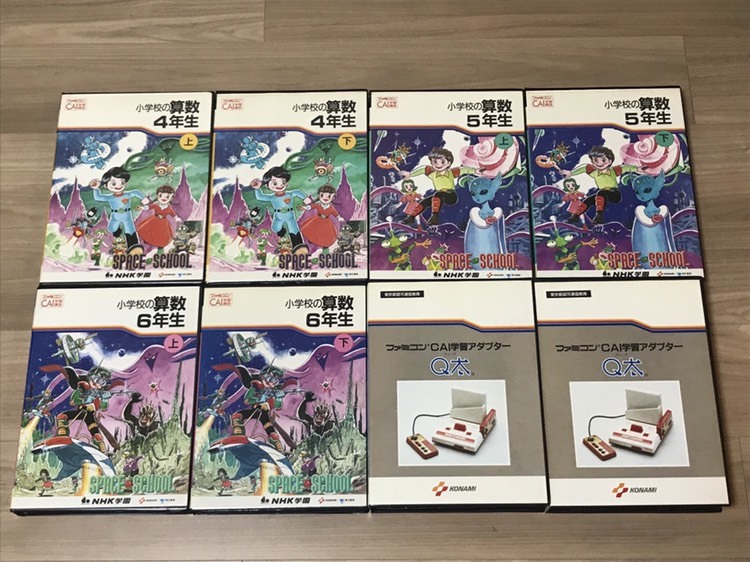
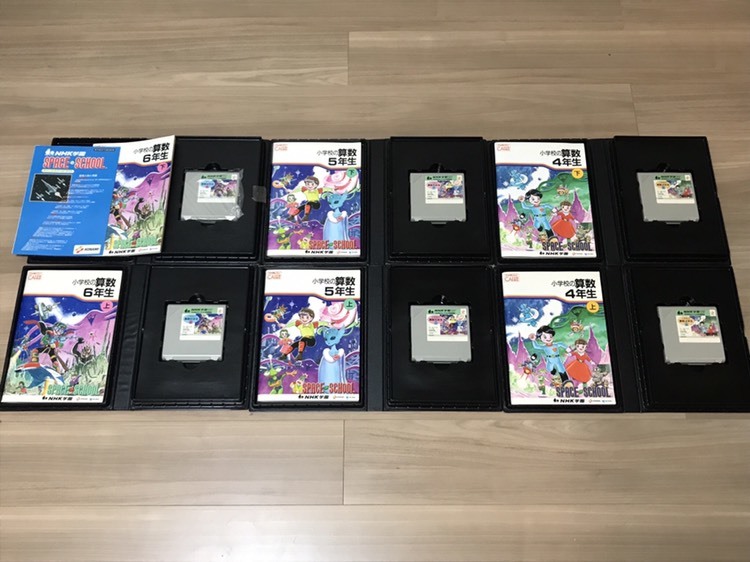
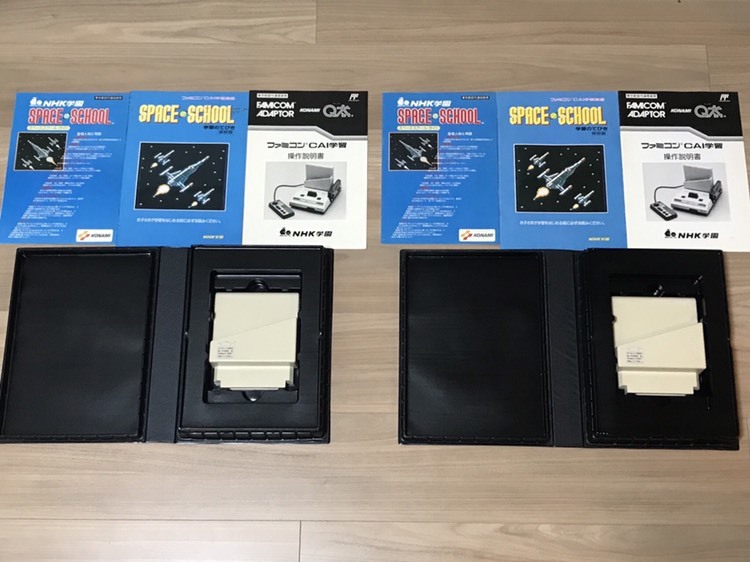
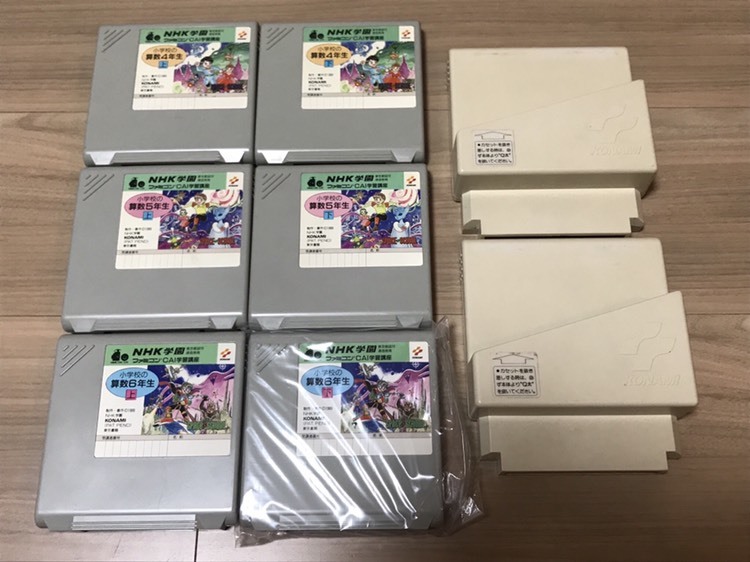
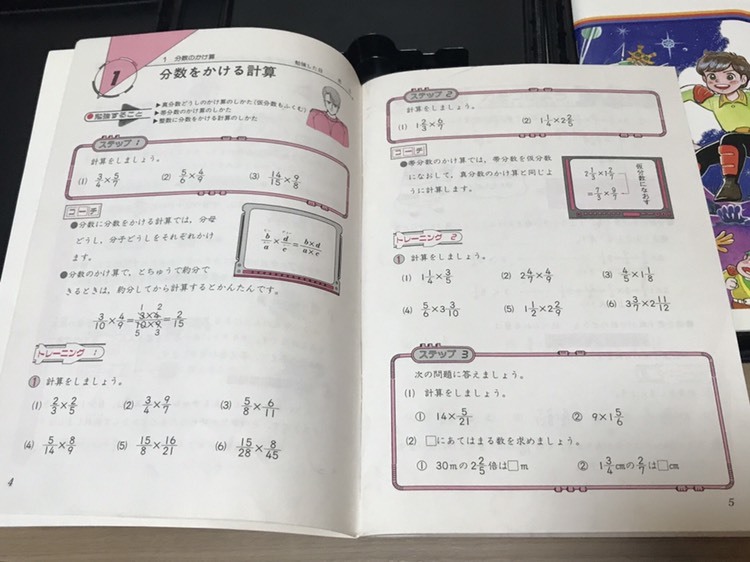
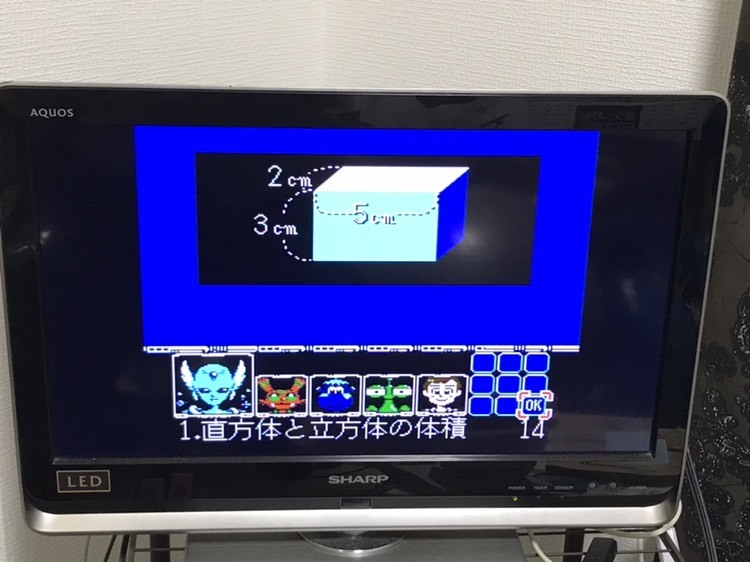
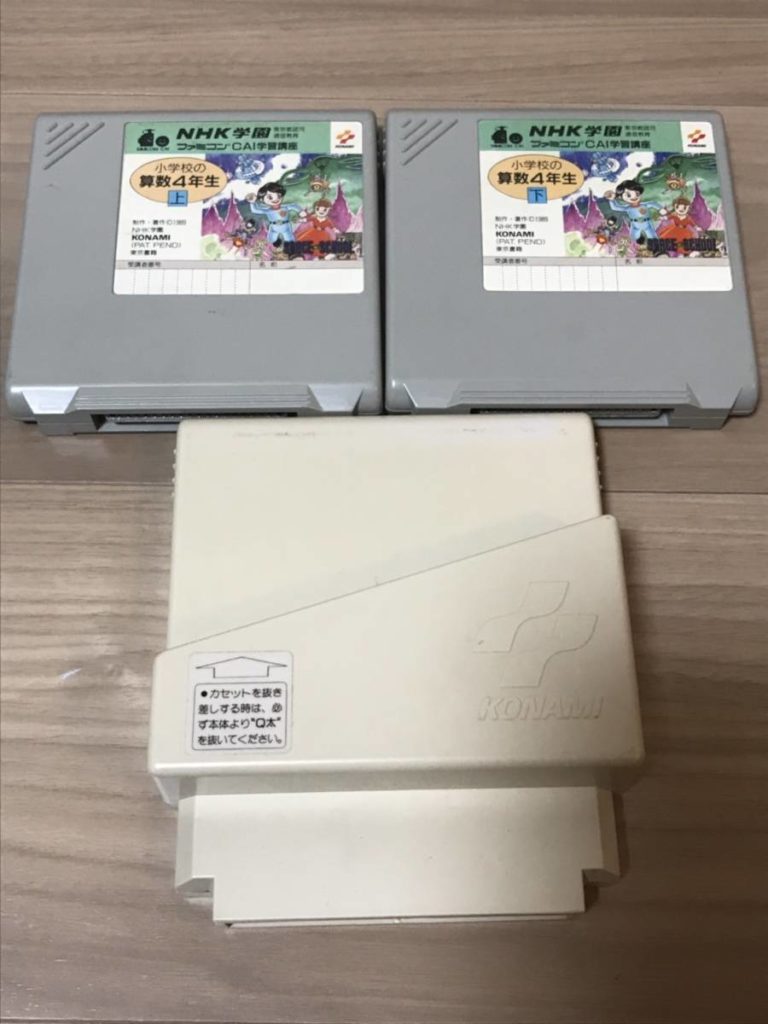
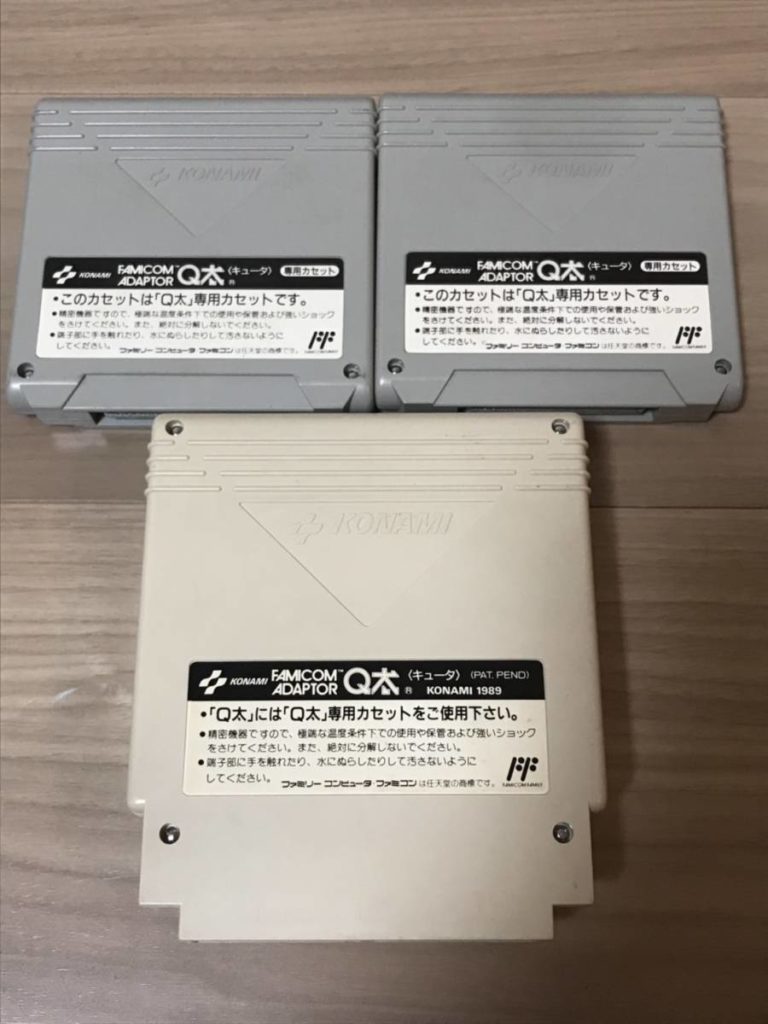
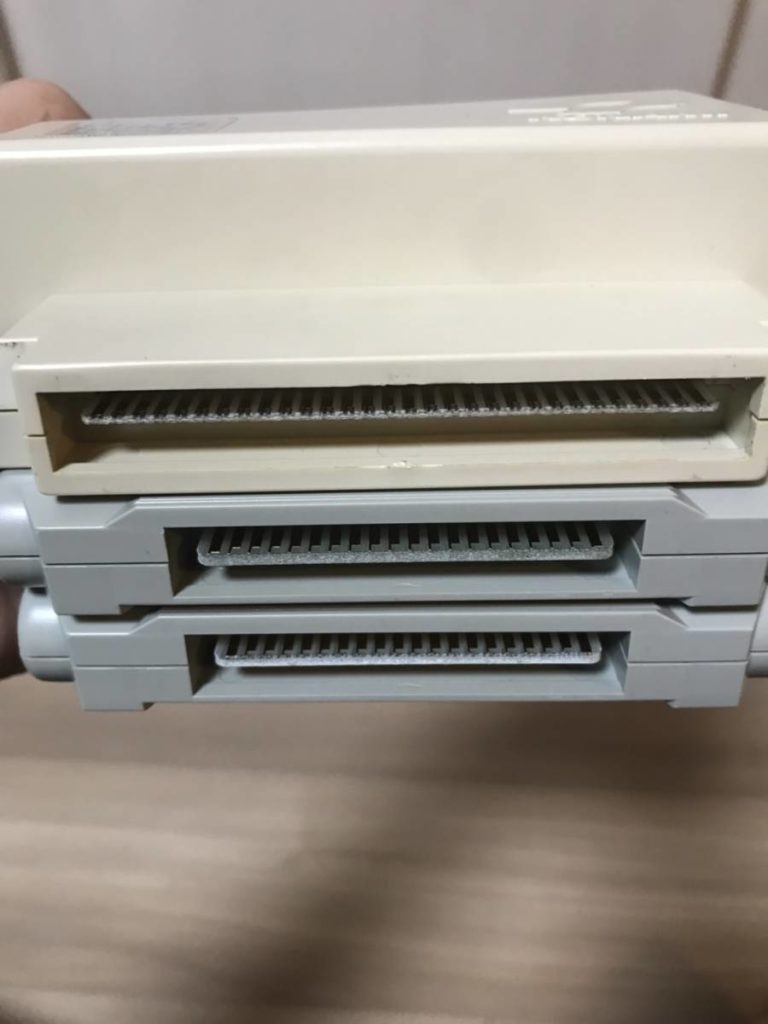
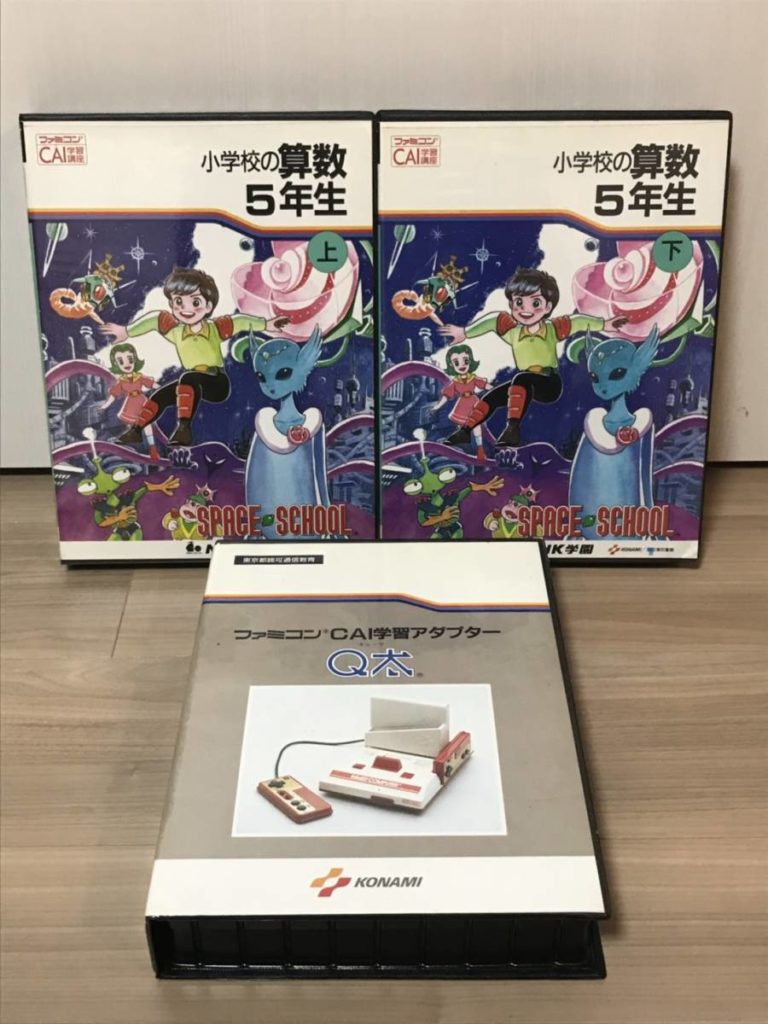
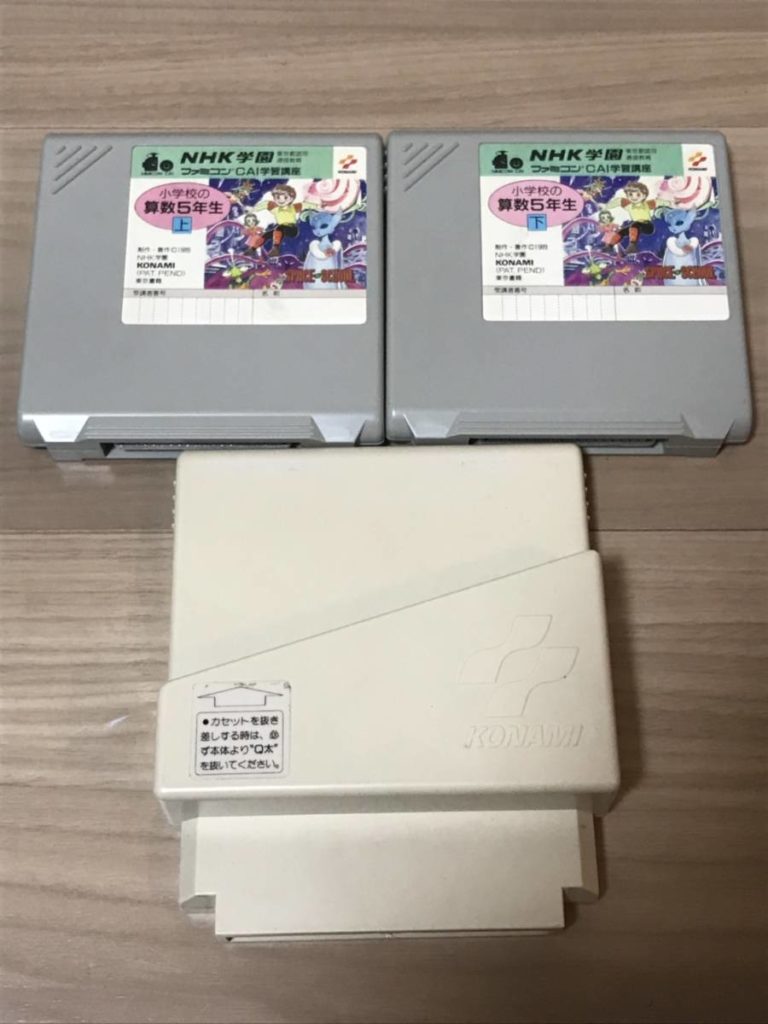
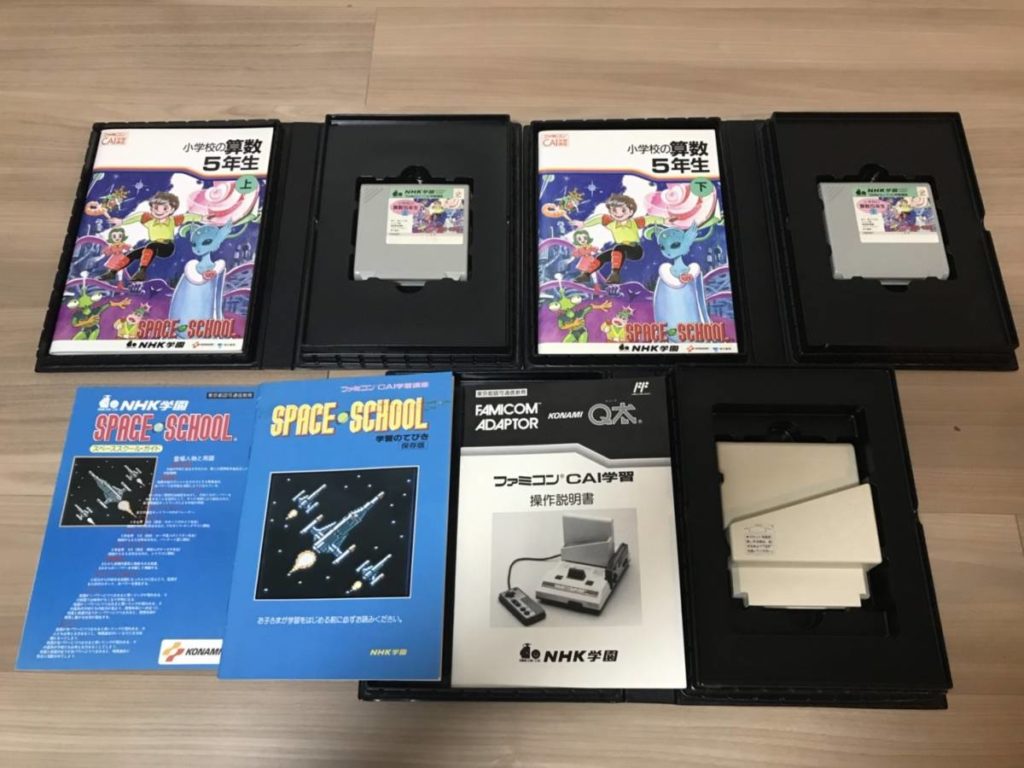
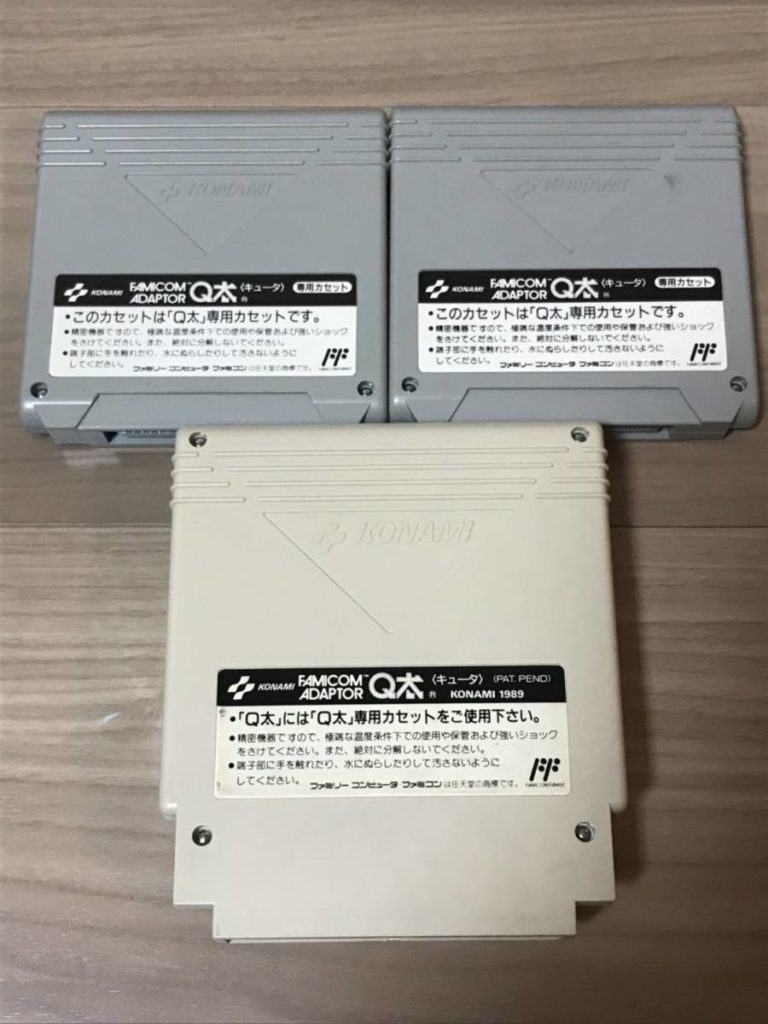
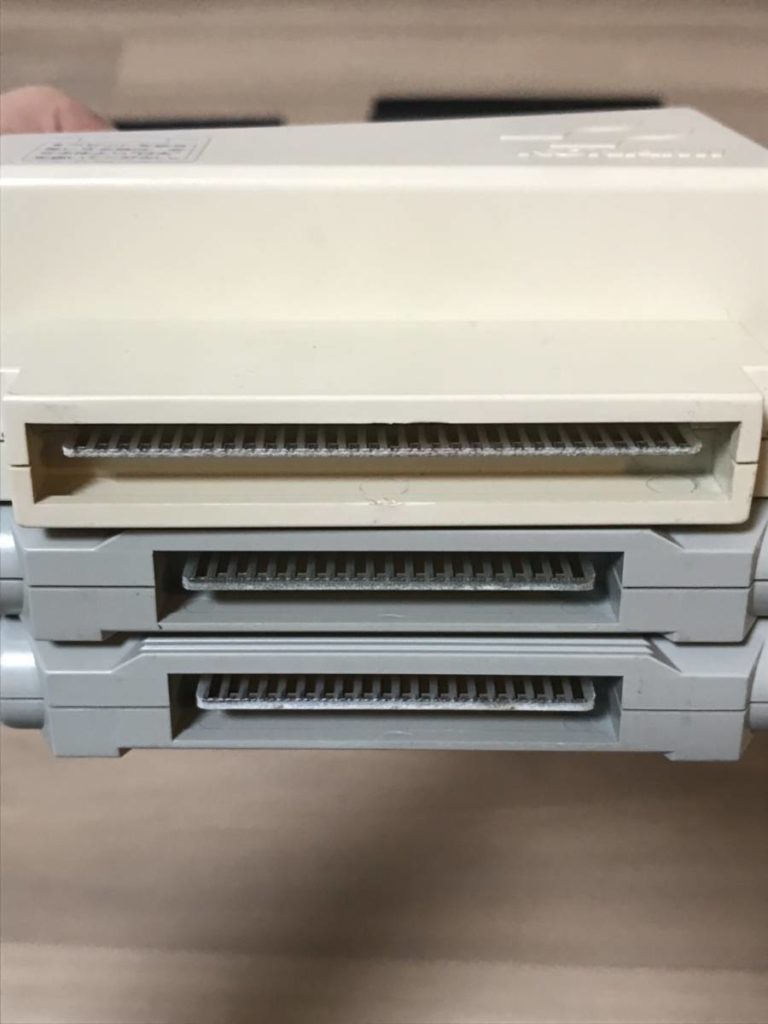
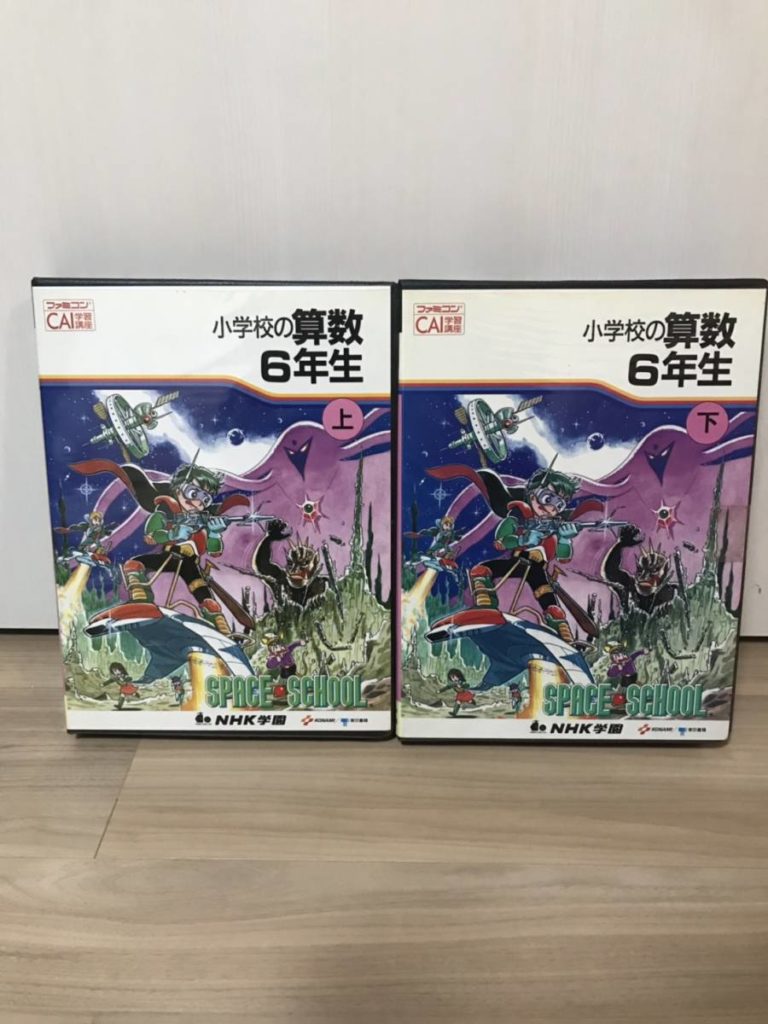
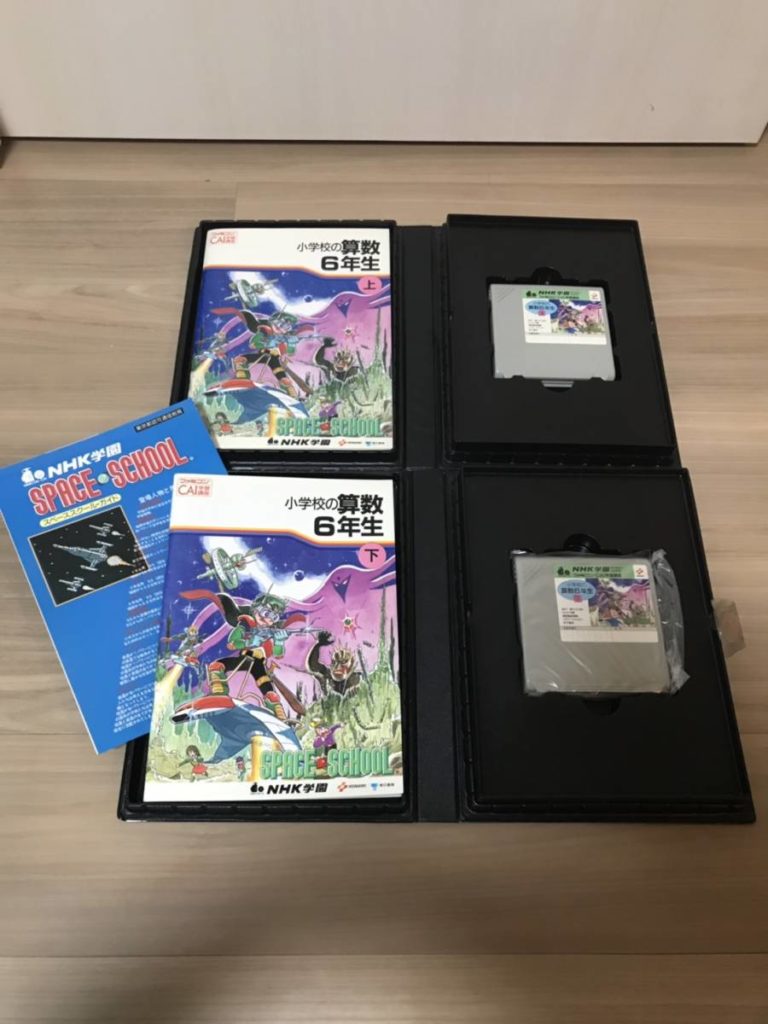
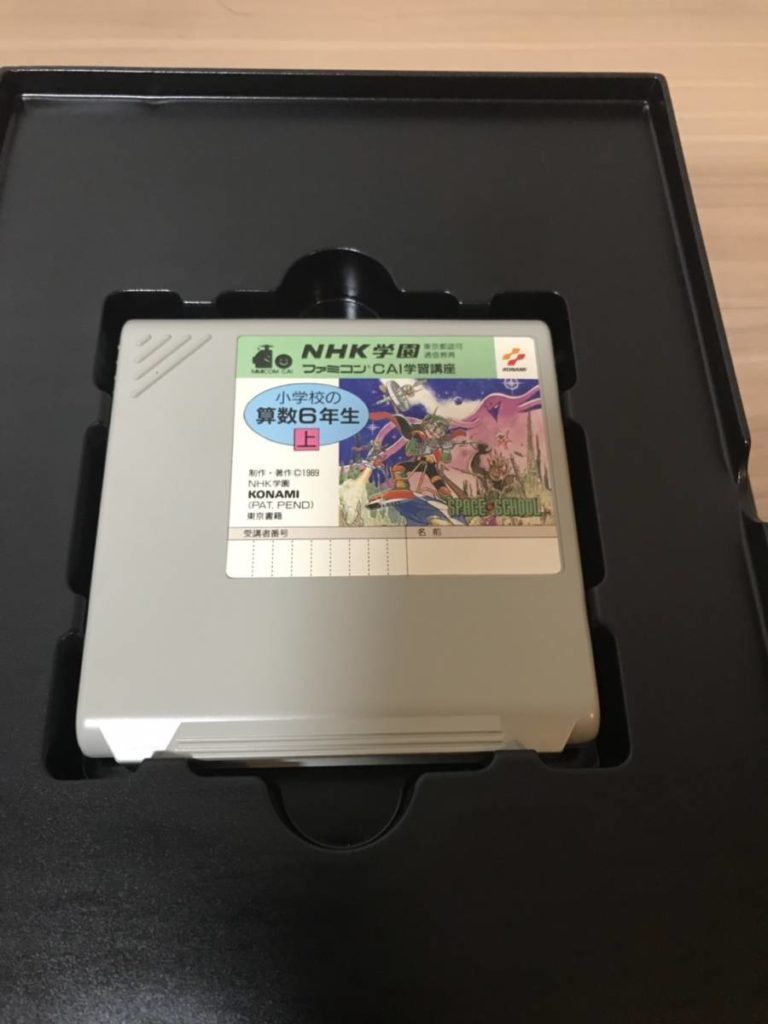
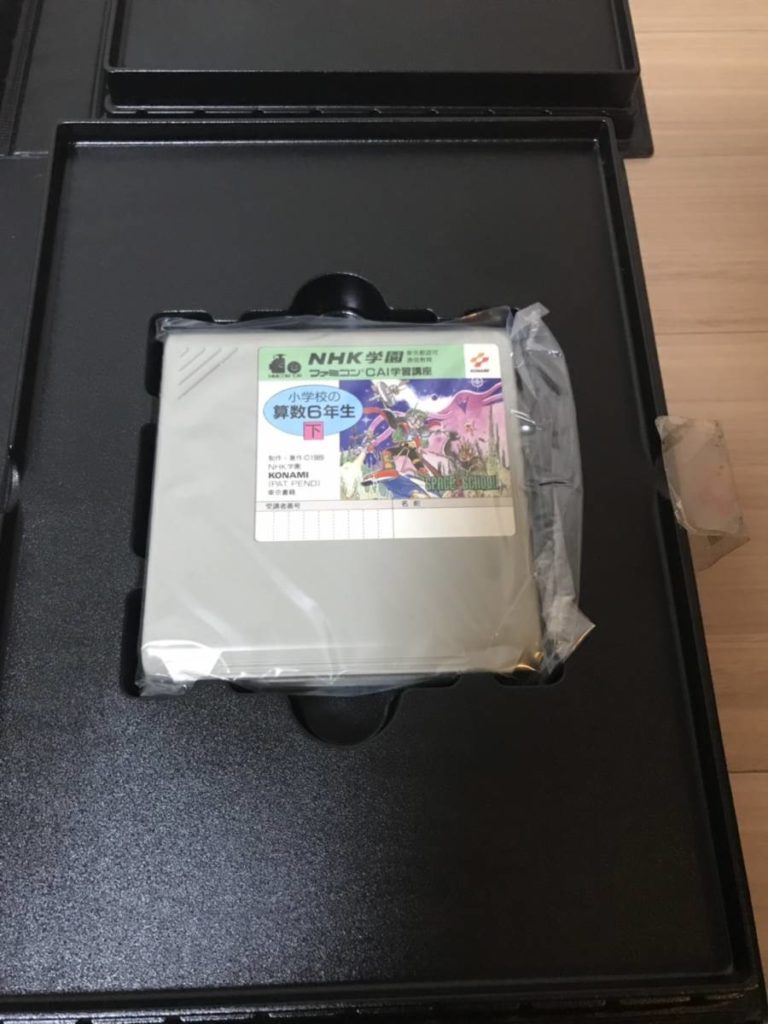


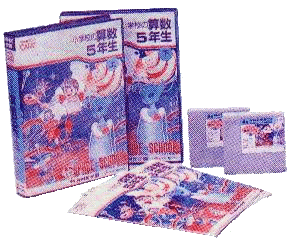

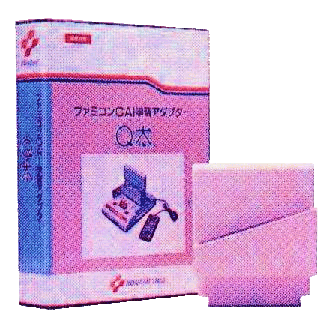
In an email I wrote to my mentor in 2008, I explained what Space School was. That was the farthest memory I had of the project.
I did a research on the yellow card and I found out something really interesting and it is actually related to IOP. I can’t believe Nintendo just did it again.
Remember I told you I couldn’t find anything on fly for “NHK Space School” printed on the yellow card? The curiosity drove me back for a second round. I have a Japanese student here helped me translate the words “Space School” to Japanese, then BINGO! I found one Japanese blog post with a few low-res pictures and the description adds up to the excitement!It turns out NHK (Japanese TV Channel ) has a school devision called NHK Gakuen (NHK young school) and they named their Famicom software “Space School”. It is a math learning game/app and comes with a “learning adapter” (cartridge converter) called Q’da developed by Konami. The software set includes two volumes and they are for 4th, 5th, and 6th grades. The software records Student’s everyday studies including a midterm and a final. (Here is the coolest part>>) If student sends the records back to NHK Gakuen. The records then will be analyzed by a computer. The result will store back to the software and sends back to the student.
This is amazing especially in the mailing part and the analyzation part. However, the post didn’t mention how details work, stuff like game-play, what is the records and results look like, and what are the parameters of computer’s analyzation. Many of this sort were produced (learning game/app) but this is the first one I heard about the analyzation part of it.
**we all know Famicom can’t store data, so I think this is why they need the “Learning Adapter” Q’da.
link to the original post in Japanese:
http://www.ne.jp/asahi/oroti/famicom/mab17.html
Enjoy it!
Kyle
Well, the website is no longer there. I can’t help to imagine what the assessment software looks like. It must be a space school shaped cartridge too that read the saves in Q’da and print the result out. Something like that.
BitVoicer
After accounts on IBM Watson and Google AI expired, I am actively looking for a simpler substitution.
Arduino Project Hub:
https://create.arduino.cc/projecthub/msb4180/speech-recognition-with-arduino-and-bitvoicer-server-460477


BitVoicer:
http://www.bitsophia.com/en-US/BitVoicer/Overview.aspx
https://www.bitsophia.com/en-US/Store/Store.aspx
MOVIT 2 9505 MSX WIZARD
Long lost sibling of my thesis robot, Nana.
https://www.generation-msx.nl/hardware/elehobby/movit2-ka-mv-9505-msx-wizard/media/179/
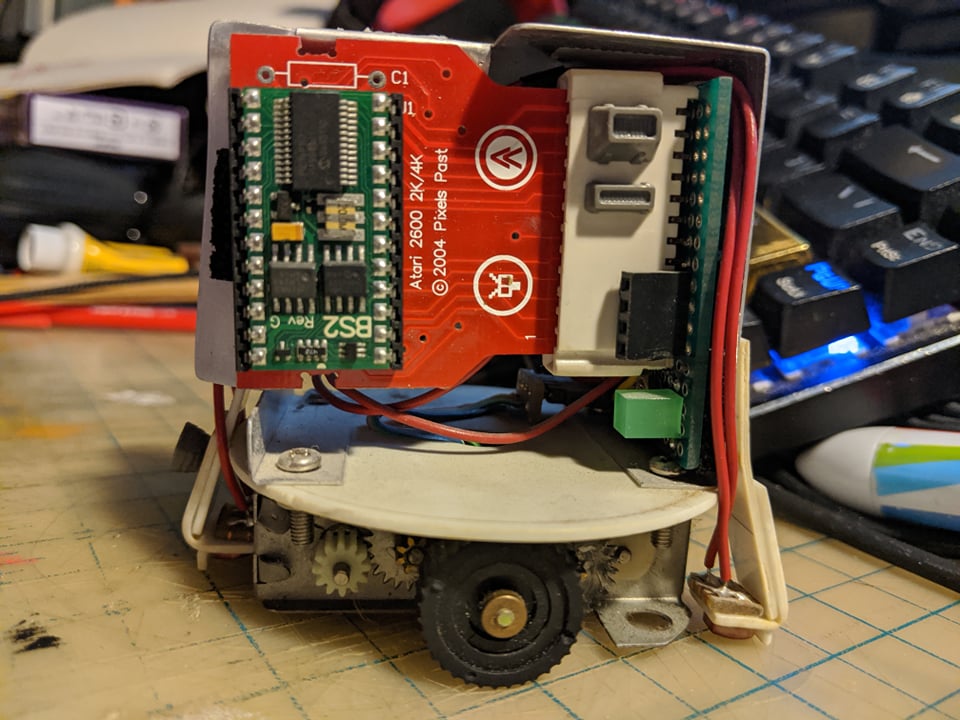
My thesis project at MFADT was a none player game that explores the cybernetic relationship between a game controller named Nana and her mother console. MOVIT 2 9505 MSX Wizard reminds me a lot of how I built Nana and her predecessors, especially the cartridge and the triangle rubber tracks.
When building Nana, besides the microcontroller inside of the XBOX 360 controller, I added an extra BASIC STAMP to manage the motor unit. The two microcontrollers communicate with each other through a simple protocol I created by controlling the vibrator voltage in realtime. This was before Arduino came out.
The profile of a BASIC STAMP is exactly the same as the EPROM chip on an ATARI 2600 cartridge PCB, so I built a detachable cartridge system for my project instead of using a socket. I also made a station for programming as well. It worked out perfectly for my workflow.
Shader
MPU-6050
I cleaned up the code and tested it, I was able to read MPU6050 for an hour in Unity 3D without freezing or interruption. Here is what I did:
- I removed the wire that connects to INT on MPU6050
- I connected AD0 on MPU6050 to GND.
- I use Arduino Uno for this test, if you are using the Leonardo board, the SCL and SDA pins are different (D2 and D3). This is done to prevent unnecessary interruption and freezing.
- Change the API Compatibility in Unity to .NET 4.x.
Build setting > Player Setting > Other Setting > Api Compatibility Level > .NET 4.x - Update the port name in the Unity code
Also, in the Arduino code, you can decide what data to print to the serial port. Look for this string: #define OUTPUT_READABLE_EULER look around it and read the description of different data outputs, I am using this one above which is rotation data.
Notes from the past:
Finally, this day has come for me to play with an MPU-6050 – a 3 Axis Analog Gyro Sensors+ 3 Axis Accelerometer Module.
Found out a tutorial on Arduino Playground:
https://playground.arduino.cc/Main/MPU-6050/#sketch
“Reading raw values is easy, the rest is not”
For serious use of the MPU-6050, Jeff Rowberg has done an excellent job.
See his I2C lib: http://www.i2cdevlib.com/devices/mpu6050
Or the latest code on GitHub: https://github.com/jrowberg/i2cdevlib/tree/master/Arduino/MPU6050
The FreeIMU library includes the MPU-6050 code from Jeff Rowberg.
The FreeIMU library: http://www.varesano.net/projects/hardware/FreeIMU
To start with the MPU-6050, see the page of InvenSense: https://www.invensense.com/products/motion-tracking/6-axis/mpu-6050/
Since my ultimate goal is to use it with Unity 3D, I also found this promising library – Uduino.
https://youtu.be/8YP8HrcGr9M
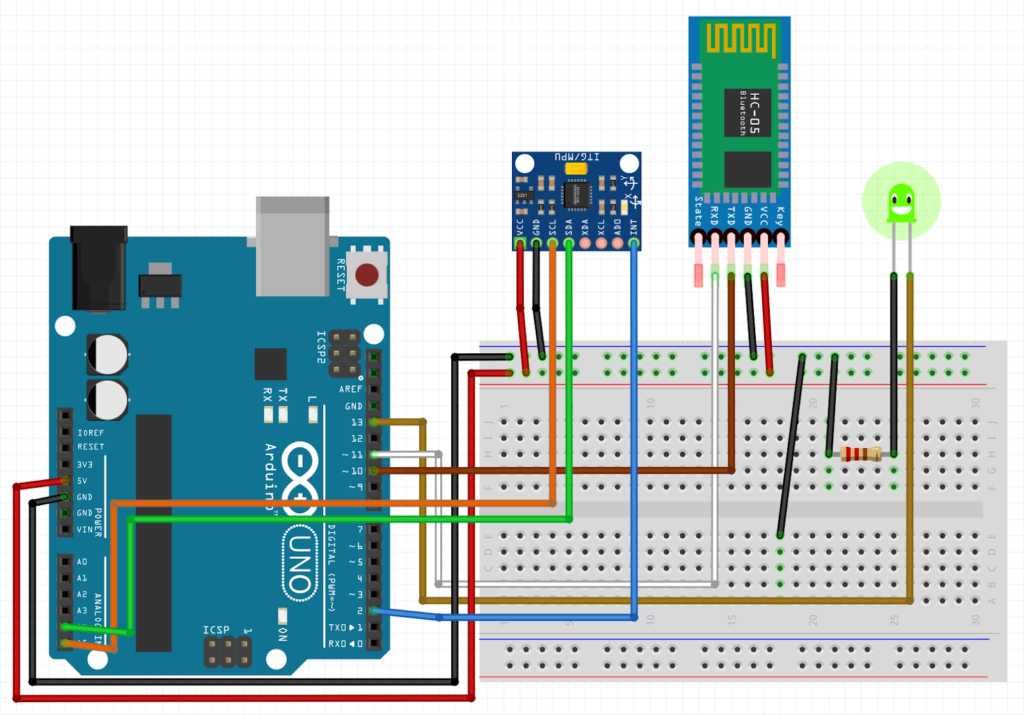

I cleaned up the code and tested it, I was able to read MPU6050 for over an hour in Unity 3D without freezing or interruption. Here is what I did: 1. I removed the wire that connects to INT on MPU6050, 2. I connected AD0 on MPU6050 to GND. Magic!
Motion Simulator
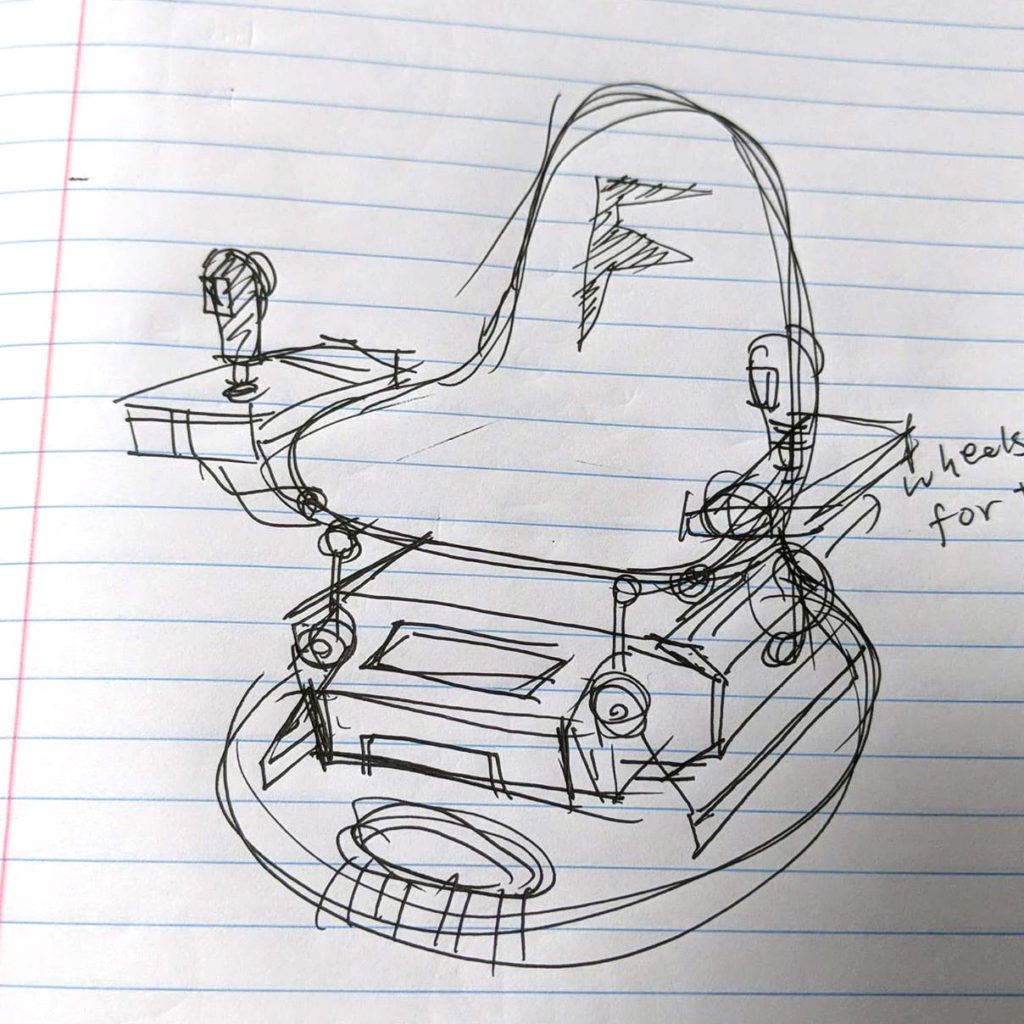
After building the twin stick, researching into motion simulators or motion platforms is an inevitable step towards my ideal lightweight and embodied play experience.
I followed YAW since it came out on Kickstarter. It is definitely a new approach to motion simulator and might appeal to casual users.
Next Level Racing Motion Platform V3
https://www.nextlevelracing.com/products/next-level-racing-motion-platform-v3/
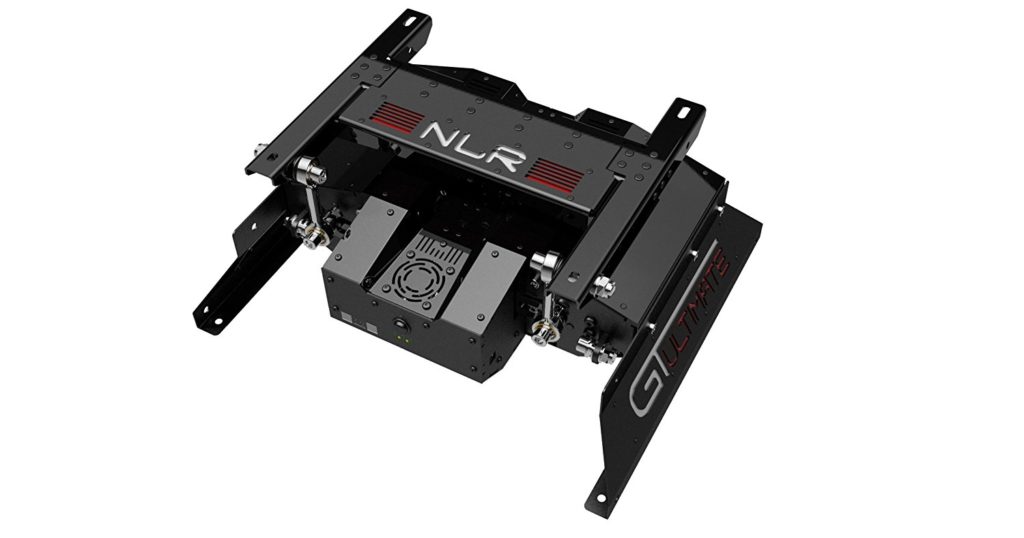
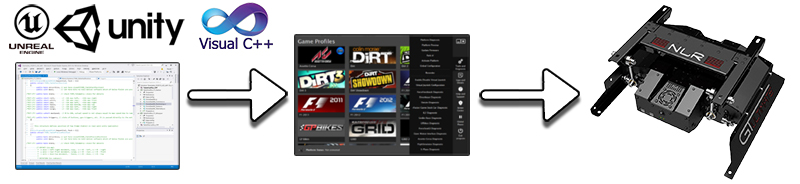
This one is ideal for my tiny frame and it comes with SDK that works with Unity out of the box. It is also the most expansive among its peers. It has an SDK called ForceSeatMI .
https://www.nextlevelracing.com/sdk/
DOF REALITY: Seat Mover Pro MP2
https://dofreality.com/
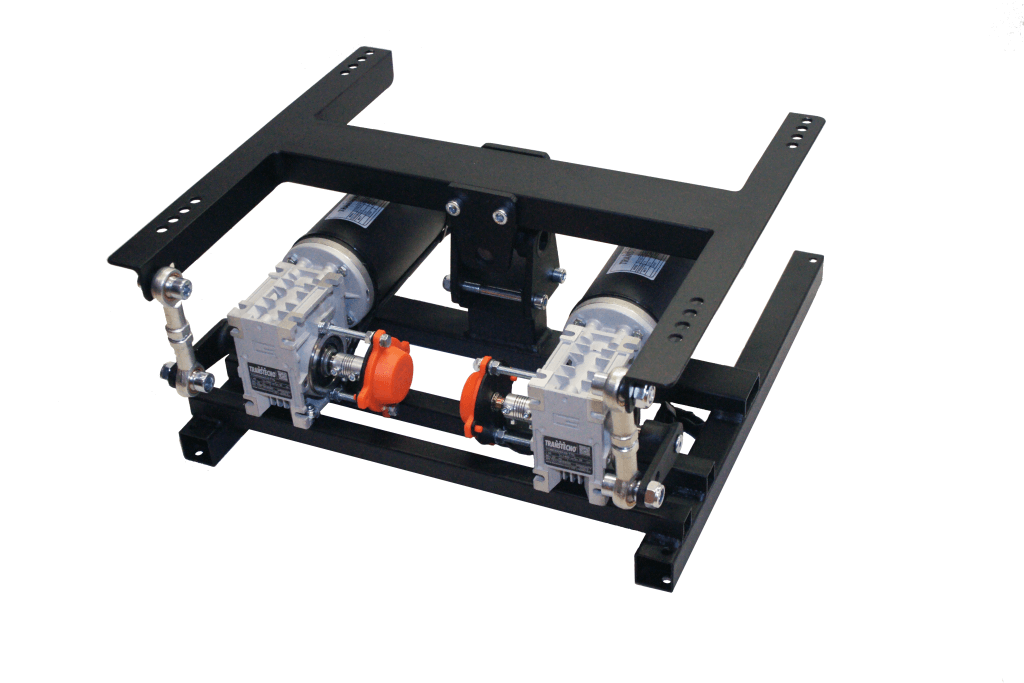
A more affordable option. The controller is based on Arduino, can control it directly from Unity 3D using a lib. The other way is UDP with SimTools SDK. Here is the original e-mail from DOF REALITY when I asked them about their SDK situation:
In Unity3D and others, there is a lib to send data directly to Arduino (that our controller is based on) over serial. Alternately SimTools SDK can be used. There should be no problem of sending your telemetry data from Unity3D to SimTools so it can set the platform position accordingly.
https://github.com/ddkclaudio/QuplaySimTools
SimTools is an easier and faster approach.
https://www.xsimulator.net/community/posts/144553/
https://www.xsimulator.net/community/posts/146168/
https://www.xsimulator.net/community/threads/pro-flight-components-support-for-unity3d.8273/
All documentation is available at SimTools portal and support forum.
Here is an SDK guide:
https://www.xsimulator.net/community/threads/how-to-write-a-game-plugin-for-simtools-2-0-api-documentation.9107/
It is very easy to use.
Also, you can integrate our platform directly to your software (without SimTools). Here is an SMC3 Command set to send over USB serial port
https://www.xsimulator.net/community/threads/smc3-arduino-3dof-motor-driver-and-windows-utilities.4957/#post-48122
San Marco de Venecia
In Summer of 2006, I found an internship at the National Gallery of Art in Washington, D.C. I had just finished my master equivalent study on American Art History at Sotheby’s Institute of Art. The program was an intensive crossover of American art history and art business. In the course of a year, we travelled to every major art museum in the east coast to develop a sense of connoisseurship on Americana and to learn art business from star art consultants and renown gallery owners. Because it was Sotheby’s, we were given VIP access to the back storages of museums, art conservation and restoration centers, and private collections. It was an eye-opening experience for me.
During my internship at the National Gallery of Art, I worked under a senior lecturer named Eric Denker. He is knowledgable, passionate, and really fun to work with. Eric’s lectures on James Abbott McNeill Whistler, an American artist at the turn of the nineteenth century, was the reason why I approached him for an internship in the first place. Whistler was an artist with many tales, he was like the Jack Sparrow (or young Barbossa?) of American paintings and etchings at the turn of the 19th century. Instead of viewing Whistler as an out of reach principle American master, Eric’s extensive research brought him to life and made him someone we can relate to. It allowed us to step in Whistler’s shoes and be inspired by his works of art.


Many American artists at the time are influenced by Japanese woodblock prints. They were fascinated by the simple shading and the ambiguity of the foreground and background. Utagawa Hiroshige‘s 100 views of Edo were among the popular ones to be collected at the time. These qualities were refreshing and opposed to every guiding principle in the traditional western academic style painting. Whistler was a big fan of the Japanese woodblock prints and had made many studies on incorporating the style into western paintings.

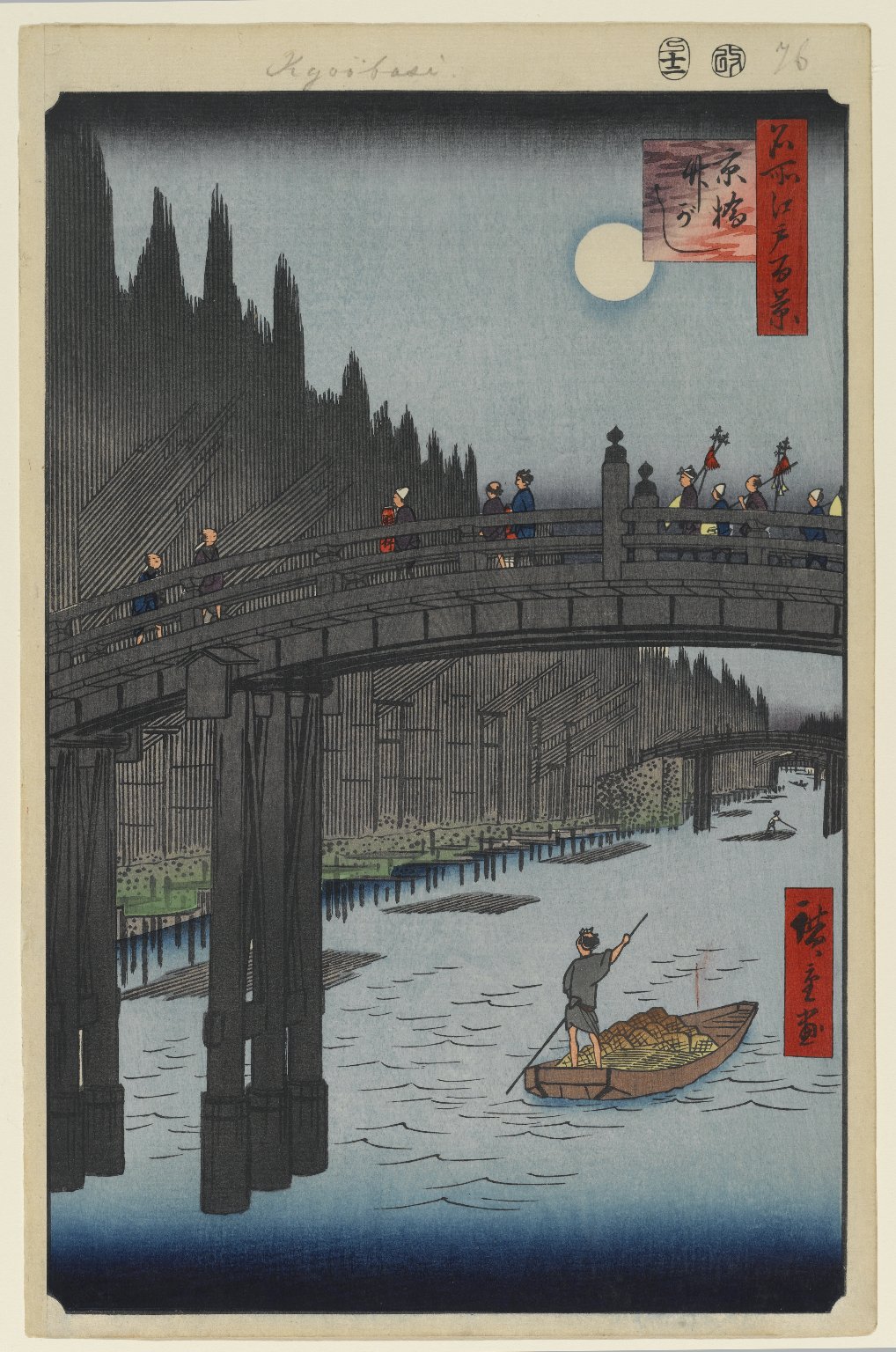
Kyobashi Bridge by Utagawa Hiroshige 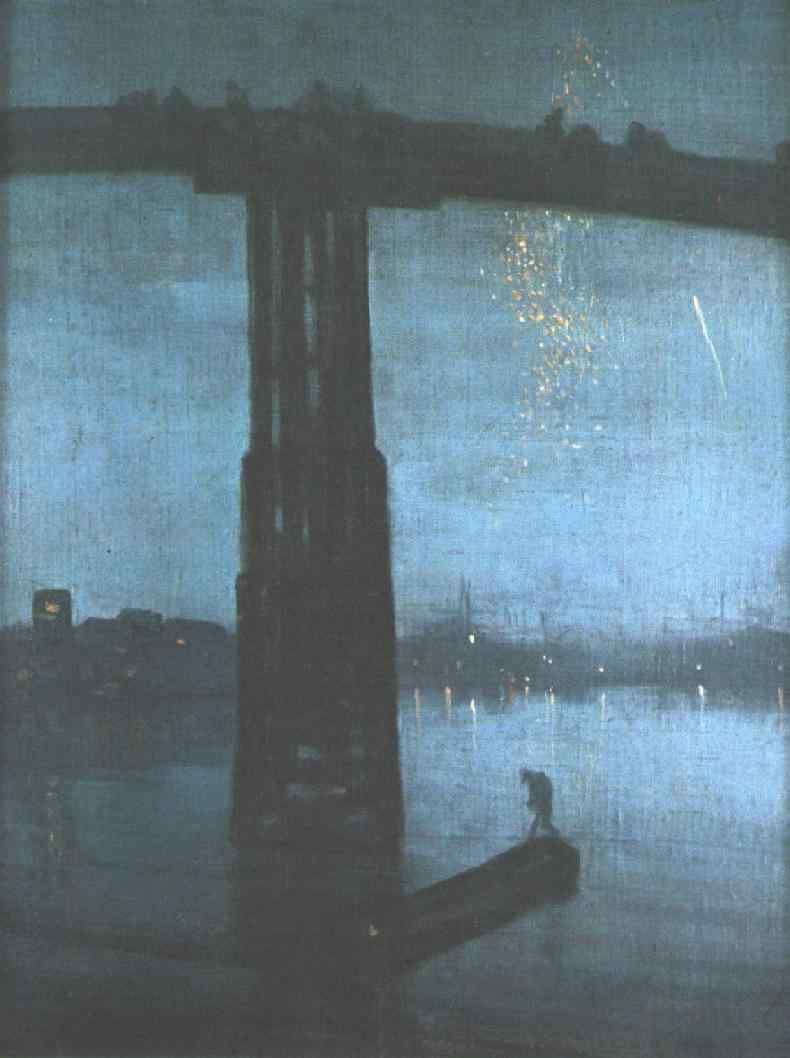
Nocturne in Blue and Gold: Old Battersea Bridge by Whistler
At the last day of my internship, Eric invited me to his apartment for dinner. When I was waiting for the dinner to be ready in the living room, I noticed there were small etchings made by various modern artists, nicely framed in similar sizes, hung around the room. Together they indistinctly form a panoramic scene of a place. The dinner was delicious. I asked Eric about the etchings out of curiosity afterwards. Without saying a word, he put me in the middle of the living room and said, “Welcome to St. Mark’s Square in Venice!”
It’s fair to say that Eric’s research on Whistler led him to Venice and fell in love with it just like Whistler did over a hundred years ago. The panoramic arrangement was brilliant and immersive. It also makes a perfect precedent for exploration as storytelling – a visual portal to a memory place and endless imaginations.
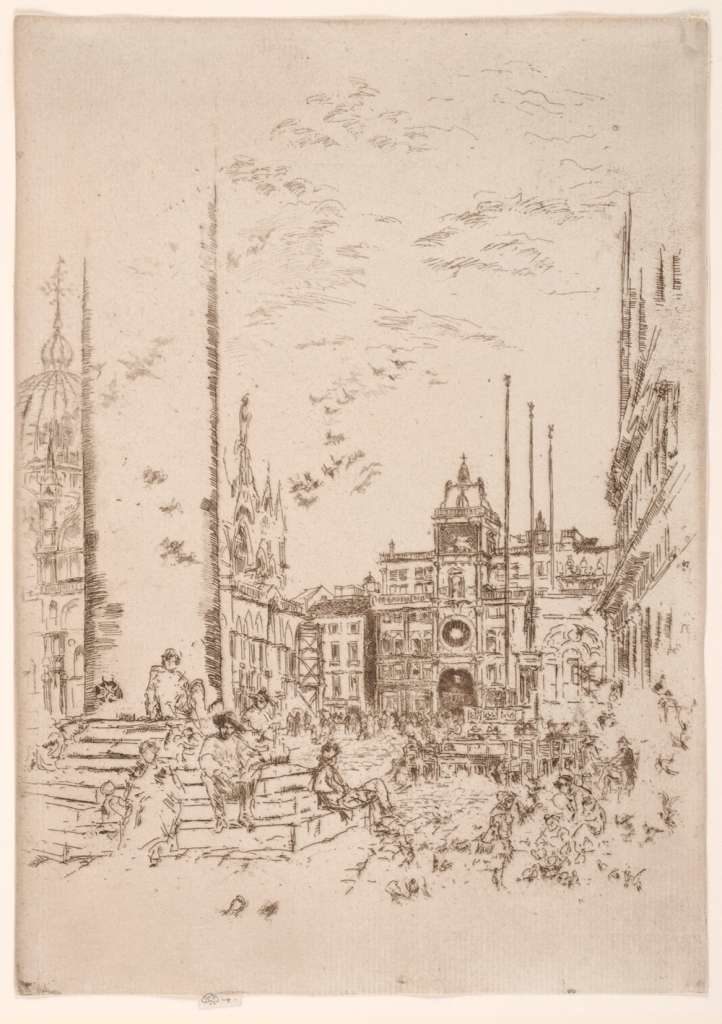
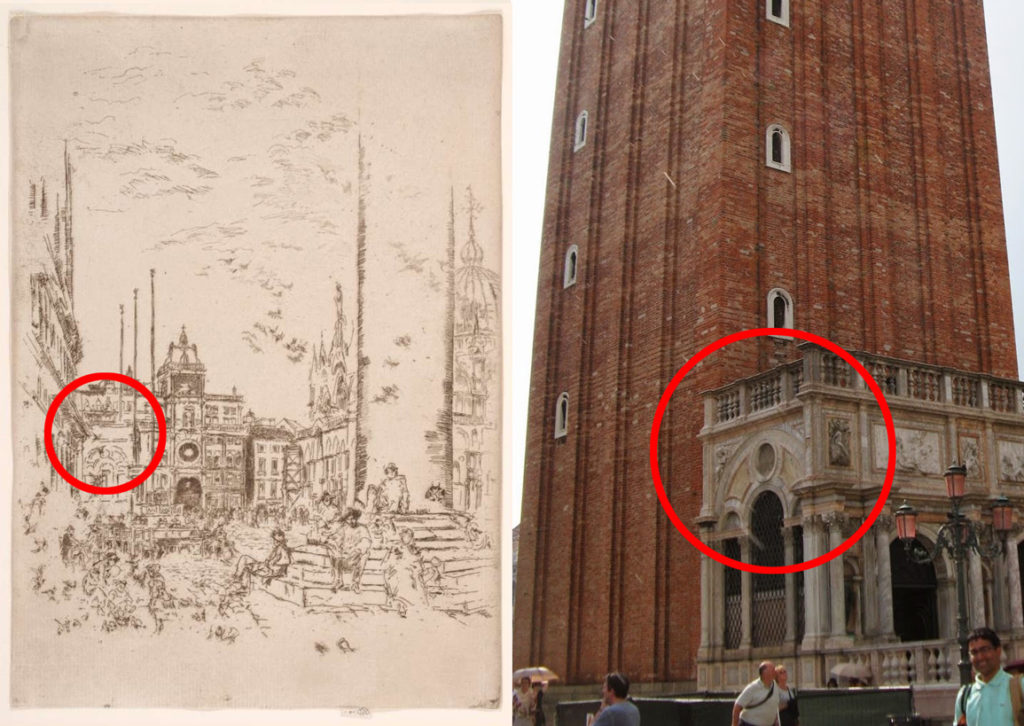
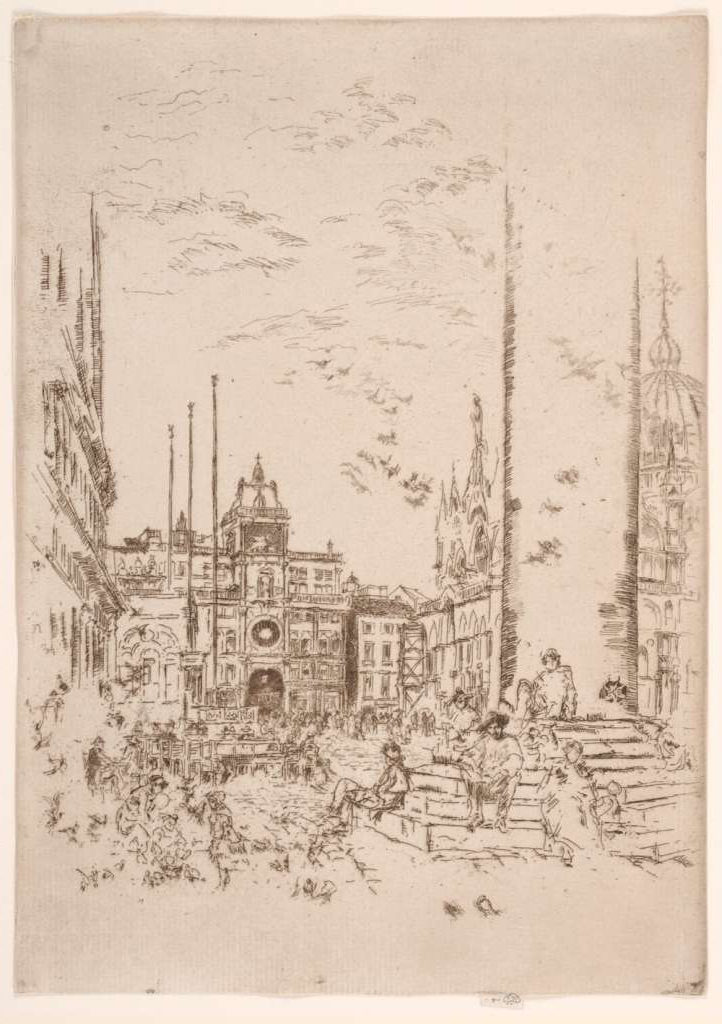
To identify the vantage point, I made a mirrored image of The Piazzetta (“The small square” in Italian) since etchings are usually mirrored images of the real scene. It seems that Whistler had rearranged the items in the scene to emphasise the buildings in the back. The disappearing lines of the pillar and the left wall transcended my imagination. The quick and short strokes brought the busy square back to live. I really enjoyed this etching and couldn’t stop looking at it. At first, I was wondering why the Saint Mark’s Campanile was not in the etching. I then realized the base of the Campanile got in on the left side, but the actual Campanile vanishes with the disappearing lines.
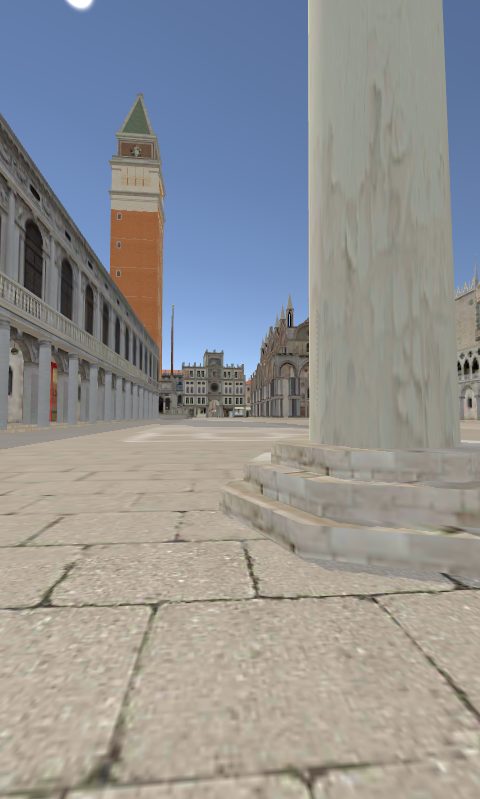
I tried to find the location where this etching was made on Google Map but I failed because that standing point is not available on the street view. I then reached into my deep pocket of resources for inspirations, I found a decent MMD model of the Saint Mark’s square built by シロcalled Neo Venice ( https://bowlroll.net/file/38578). I removed all of the modern lamp posts and the guards around the pillars. I had major fun walking around in there like I was Whistler himself looking for the best vantage point for a new sketch. Here is a comparison of Whistler’s etching (mirrored) and a screenshot from the closest vantage point I could find in Venice VR.
Okay, I am done.