Skip to content

A PLAY EXPERIENCE MAKER'S WORK LOG FOR FUTURE SELF©2001 – 2023 Kyle Li 李肅綱 All Rights Reserved.

Category: Uncategorized

MMORPG KIT

Posted on June 21, 2020June 26, 2020 by admin

MMORPG KIT (2D/3D/Survival)
https://assetstore.unity.com/packages/templates/systems/mmorpg-kit-2d-3d-survival-110188

Documentation – Getting Started (Singleplay/LAN)
https://suriyun-production.github.io/mmorpg-kit-docs/#/pages/101-getting-started-singleplayer-lan
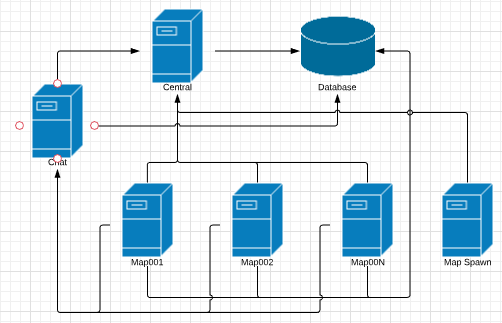
Server Architecture

For this project, there are 3 kinds of servers are:

  • Central server, this server will handle user login/register/character create/character delete and the list of other servers
  • Chat server, this server will handle user chat, this server will connect to Central server to send its address
  • Map spawn server, this server will connect to the central server and then the central server will send requests to this server to start a map server.
  • Map server, this server will handle gameplay, each Map scene will handle by 1 server, so if you have 3 maps, it will run 3 servers to handle each map, this server will connect to the central server to send its address and users list, also connect to Chat server to send/receive chat messages.

Game Server by Google (I don’t know if this would help at all, log it here)
https://cloud.google.com/game-servers?hl=zh-tw
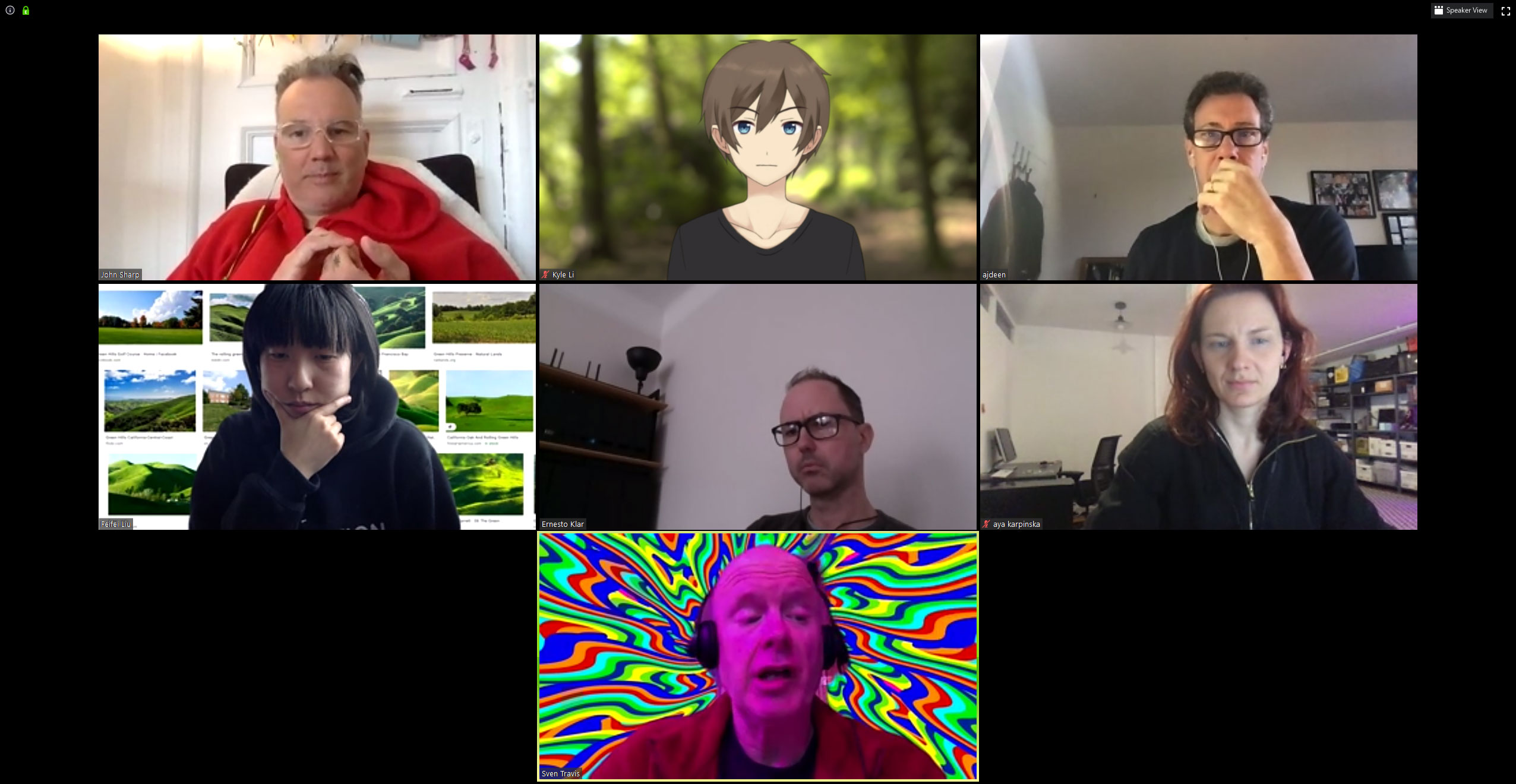
an interactive zoom background

Posted on May 3, 2020June 21, 2020 by admin

I have been experimenting with a new set of tools and most of them are used for game broadcasting and streaming, an aspect of video game that I didn’t expect to get into until the COVIN-19 broke lose. The school quickly moved online and finally canceled all the in-person classes halfway through the midterm week. Since that Friday, I have been exploring my online identity in Zoom.

I have played with virtual background, Face Rig, Open Broadcasting Studio (OBS), Xsplit VCam, Snap camera, and Sparkocam. They are all very good at doing what they claimed to be doing, and I am intended to mix a couple of them together to create an ultimate Zoom experience to indulge myself in the days to come.

as an anime character

In order to put all the stuff in my apartment to work, I dug up my Cyber Trooper Twinsticks from SEGA Saturn. I removed the original control board and replaced it with a Revive board. I can now send the 12 digital inputs on the Twinsticks to my computer as keyboard keys.

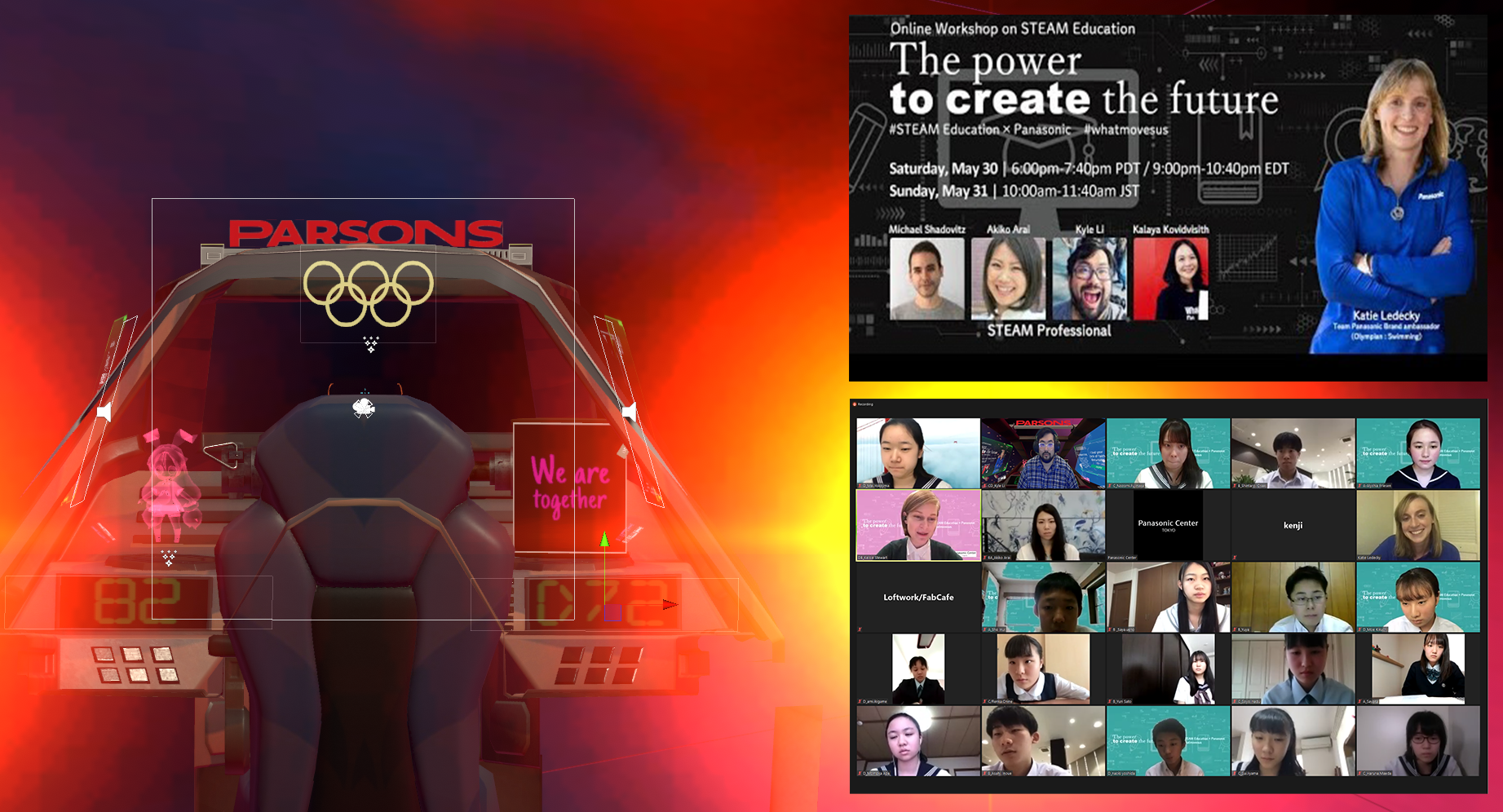
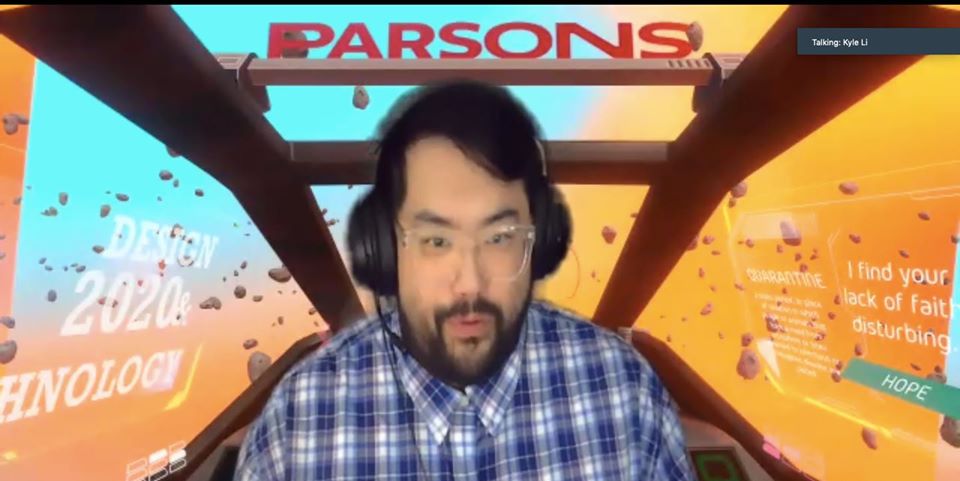
I made a space flight simulation as the background and use the Twinsticks to pilot the spaceship. I wrote a simple script that every time when I use this background, it tells me how many days I have been #stayTheFuckHome. I decorate the interior differently depends on occasions.

MFADT Class 2020 Ceremony (Fun Award)

I use my right panel for event posters.

Oculus Hand Tracking Fun

Posted on May 1, 2020 by admin

https://developer.oculus.com/documentation/unity/unity-handtracking
https://skarredghost.com/2020/01/03/how-to-oculus-quest-hands-sdk-unity/

Integrating Pinch

var hand = GetComponent<OVRHand>();
bool isIndexFingerPinching = hand.GetFingerIsPinching(HandFinger.Index);
float ringFingerPinchStrength = hand.GetFingerPinchStrength(HandFinger.Ring);
var hand = GetComponent<OVRHand>();
TrackingConfidence confidence = hand.GetFingerConfidence(HandFinger.Index);

Integrating Pointer Pose

Deriving a stable pointing direction from a tracked hand is a non-trivial task involving filtering, gesture detection, and other factors. OVRHand.cs provides a pointer pose so that pointing interactions can be consistent across apps. It indicates the starting point and position of the pointing ray in the tracking space. We recommend that you use PointerPose to determine the direction the user is pointing in the case of UI interactions.

  • Call the PointerPose property from OVRHand.cs.

The pointer pose may or may not be valid, depending on the user’s hand position, tracking status, and other factors. Call the IsPointerPoseValid property, which returns a boolean indicating whether the pointer pose is valid. If the pointer pose is valid, you can use the ray for UI hit testing. Otherwise, you should avoid using it for rendering the ray. (need to understand this part more)

I found all the answers in this sample framework.
https://developer.oculus.com/documentation/unity/unity-sample-framework/

Make sure the Oculus Integrations is V16+

CLO 3D and Unity 3D

Posted on March 25, 2020 by admin

I wonder if this is possible… I quickly googled it and found sine promising results:

vis this discussion:
“You can bring in any rigged & animated FBX file as an Avatar. Then drape & fit the garment to your Avatar. Use Animation Mode to record the garments animation. Then you can export the cloth mesh as FBX or Alembic and import it into Unity. Please let me know if you run into issues!”

“If you learn visually go to YouTube and search for Marvelous Designer to Unity3D there are many videos that show the process and how to prepare your Clo/MD data for export using Alembic to import into Unity.”

I also found out that CLO 3D works well with adobe’s Mixamo (Thanks to the hint in Soojin Kang’s job talk), now that is a game-changer:

https://youtu.be/pftsGIT3SgE
https://youtu.be/gL7s_FSshuc

EN Arknight mod

Posted on March 23, 2020March 23, 2020 by admin

https://blackmod.net/threads/17895/
There are two files to download, one is the signed APK and the other is an OBB file. After download, put the signed APK in the download folder and the OBB file in the Android/obb folder on my phone.

I upgraded my account on blackmod.net to a VIP one so I can have all 12 mod options at once. I put the license.pm file in the download folder as well. I then deleted the original game and the Facebook app. It is important to uninstall the Facebook app, otherwise, the game will try to sign into my account through the Facebook app which throughs an error.

Open the game the first time and found a newly created folder named PLATINMODS.COM. The ON/OFF editable text file is in this folder. It really works!

D12 Virusbots Invasion

Posted on March 19, 2020March 21, 2020 by admin

Every year, our freshly graduated students experience difficulties in detaching themselves both emotionally and physically from D12 – the open working space for Design and Technology students at Parsons School of Design. Most of them had spent more time on D12 than in their apartment over their two years with us. This year, students are sent home a bit earlier due to the COVIN-19 outbreak and D12 is definitely missed.

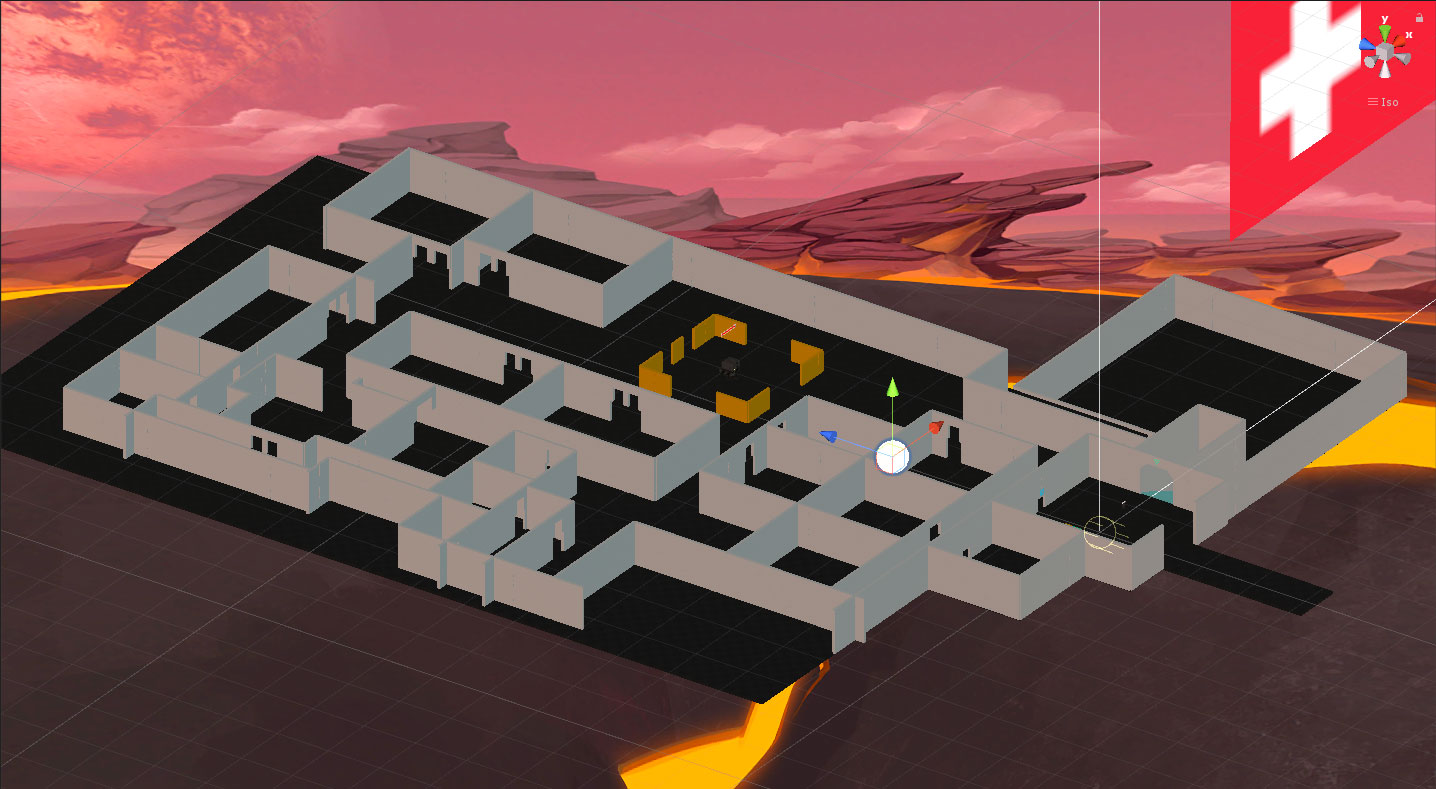
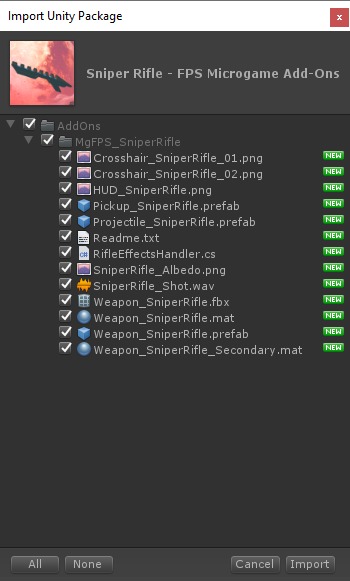
I was looking at the Customizable Boss mod for the FPS Microgame from Unity 3D, it looks like a really fun addon to the FPC Microgame. I decided to build a D12 level in the FPS microgame with evil robots that stole our identities because we weren’t there.

D12 Level Map
free asset after 1st publish

The unlock reward after the first in-game tutorial is fantastic!
The current game level of D12 is published at:
https://connect.unity.com/p/d12-virusbots-invasion-1

Hubs by Mozilla

Posted on March 19, 2020 by admin

https://labs.mozilla.org/projects/hubs/?fbclid=IwAR1DaK_a767qMJr1a8Rtciy_5Y_k5wiHLOZqQud9CNtXKM2BjZGZOE_KcaU

Definitely coming here for a class.

VRoid 02

Posted on March 9, 2020March 29, 2020 by admin

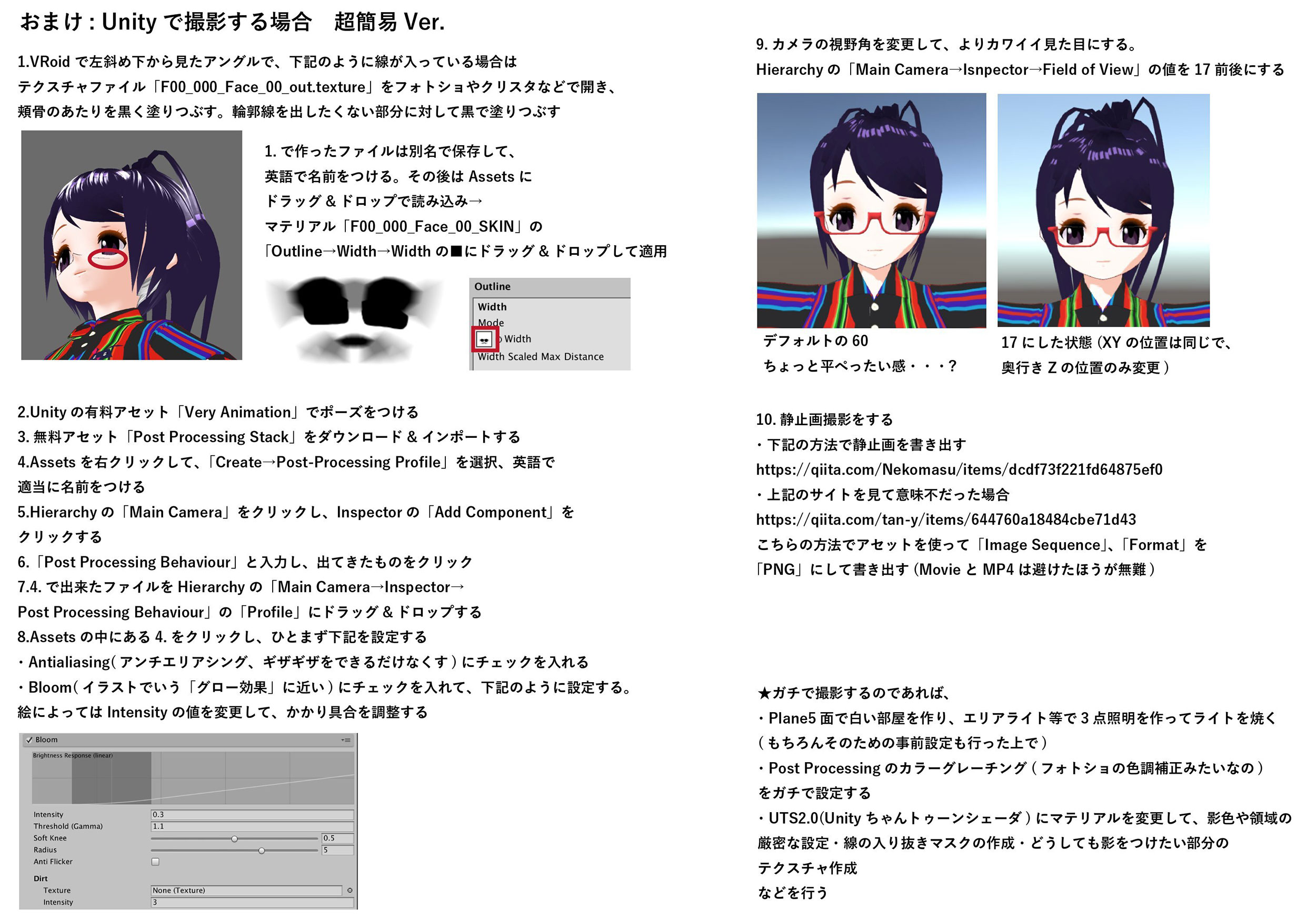
I imported the VRoid model I created into Unity using UniVRM: https://github.com/dwango/UniVRM/releases

I went through the following steps:

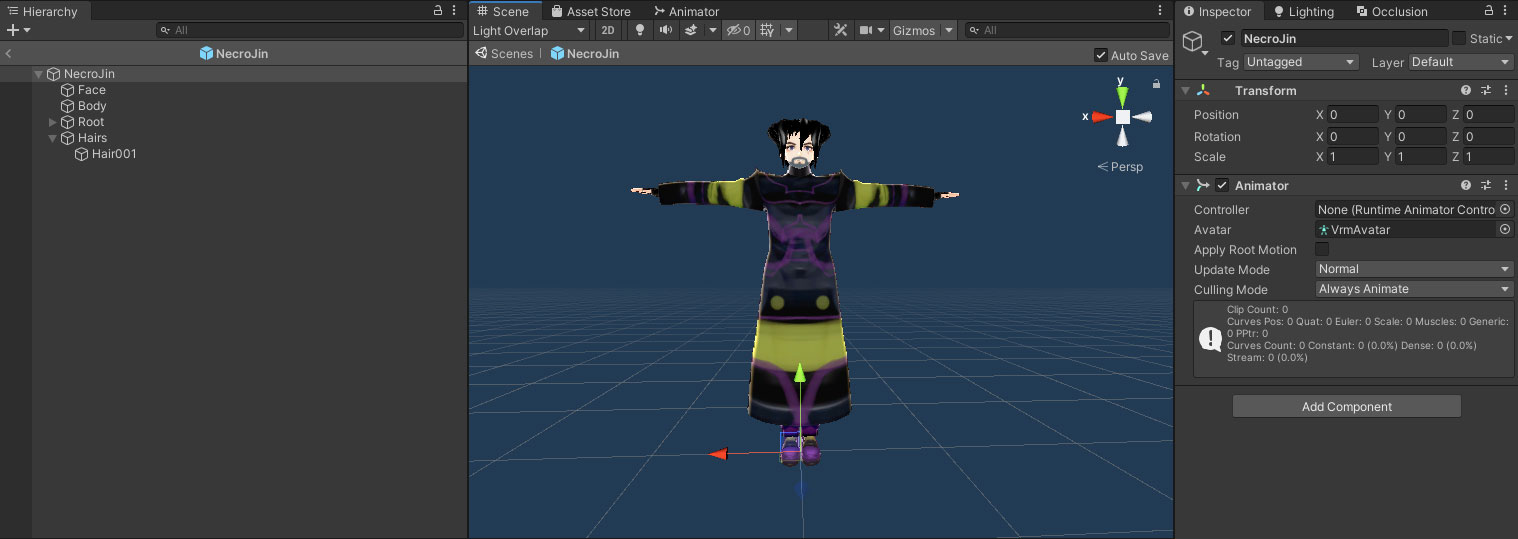
  1. After importing the UniVRM.unitypackage, create an empty folder and drag Necro Jin’s VRM file into it. A prefab will be automatically generated.
  2. Drag the prefab to the scene and delete every in the inspector window except the transform and animator controller window. Also, delete a child GameObject named “secondary”. It looks like image-1 with all the unwanted stuff deleted.
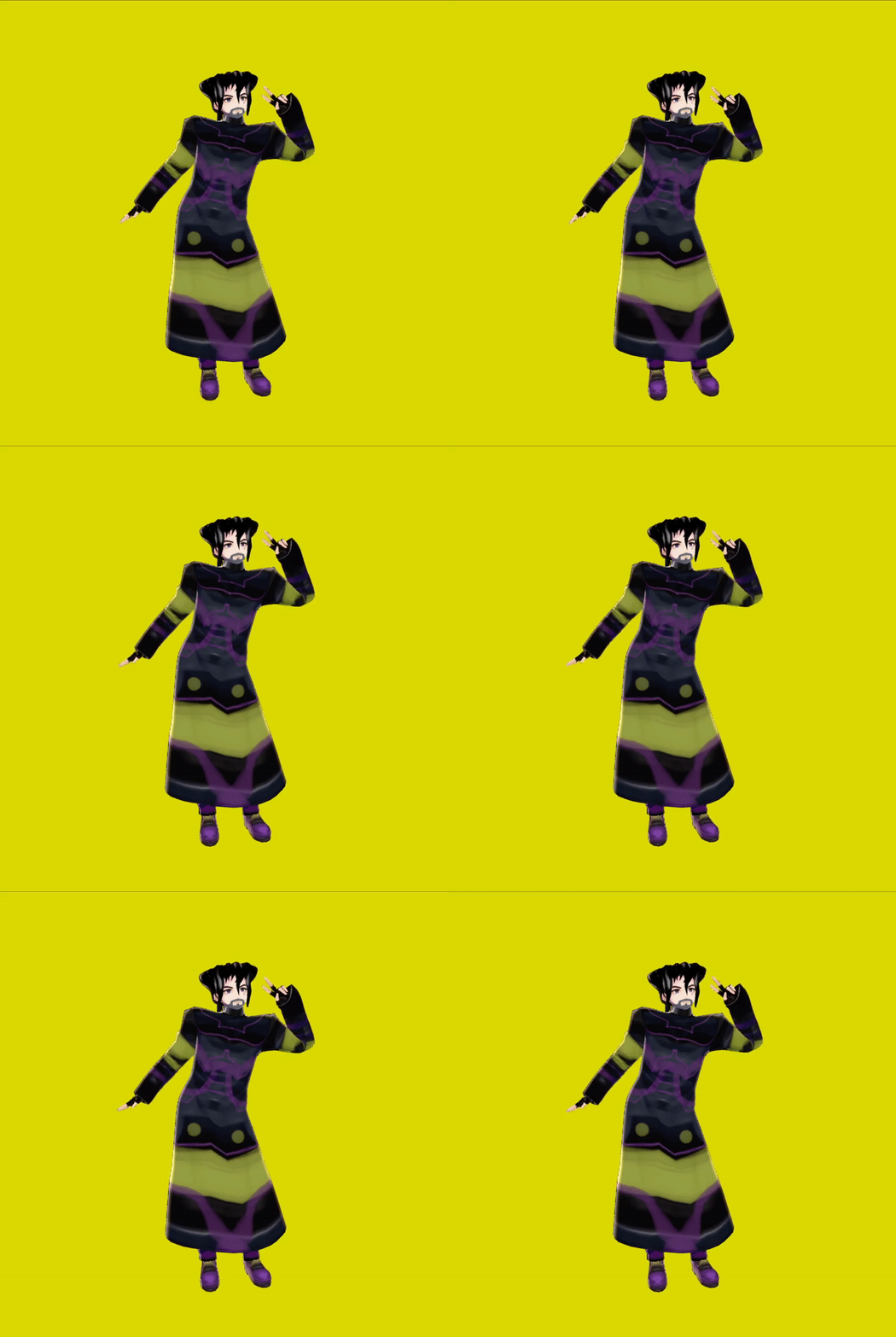
  3. Create a new Animator Controller and add a Mecanim ready animation into the controller as the default animation.
  4. Drag the controller to Jin in the scene.
  5. Press Play.
image-1

BlendShapEditor: http://mebiustos.hatenablog.com/entry/2015/09/13/213539

Other usful tools:
3tene: https://3tene.com/
V_World: https://naby.booth.pm/items/990663
V_Draw: https://ogulabo.booth.pm/items/939389
Tracking World: https://youtu.be/AZ8UvS2YtqA
Luppet Trial: https://negipoyoc.booth.pm/items/1196507
Luppet Paid: https://negipoyoc.booth.pm/items/1216743
VRM Wear Changer: https://booth.pm/ja/items/1278062
VRM To PMX Converter: https://bowlroll.net/file/191067
Password: 2yuu

VRoid 01

Posted on March 8, 2020March 9, 2020 by admin
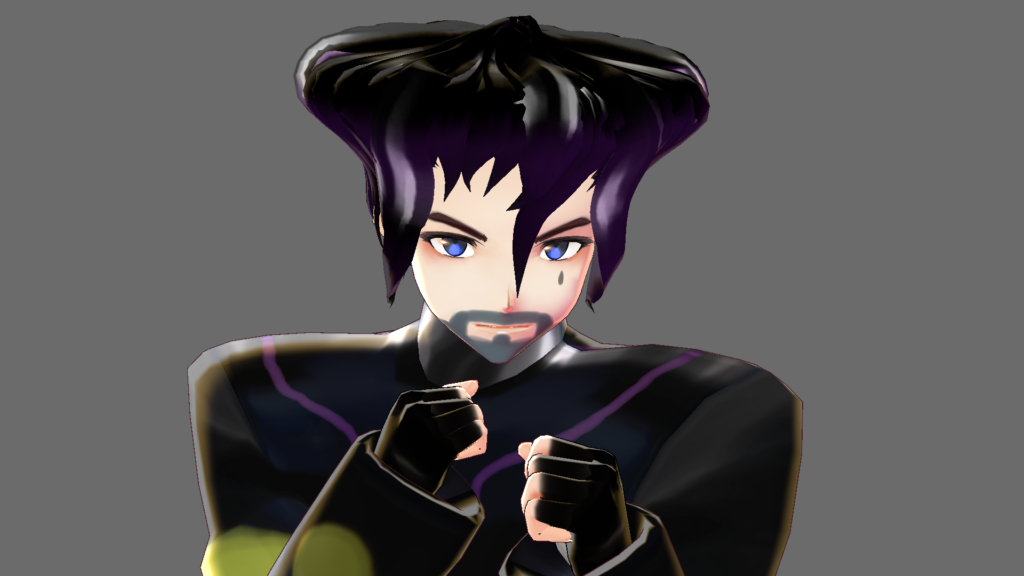
Necromancer – Jin

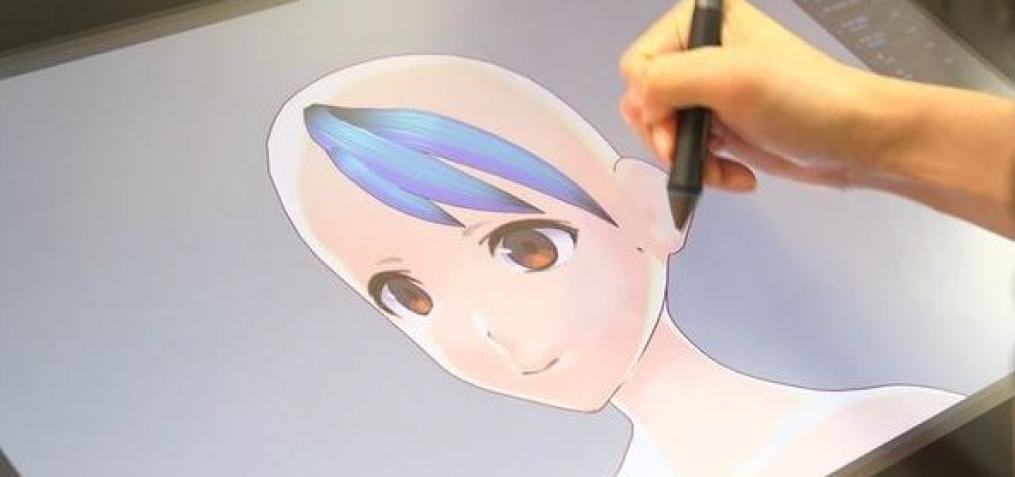
I posted an animated gif a while ago of someone designing the hairstyle of a digital avarta by just drawing volumetric strokes of hairs with a stylus. It turned out to be a fature in VRoid Studio – a deigital avarta creator.

Inspired by Chinese zombies and their tranditional costume, I created a Necromancer called Jim. While playing with the hair editor, I thought of Jotaro in Jojo a bizarre journey and his lengendry hat hair where his hair seamlessly blend into his hat in both drawing and animation. I decide to use the flexible editor to create Jim’s hair in the shape of a Qing Dinesty Court Hat which is offten associated with Chinese zombie custome.

My only complain is that I can’t make a big person out of this tool. Very limited in body types, probably not going to fly in America. Information found during the making of Necro Jin.

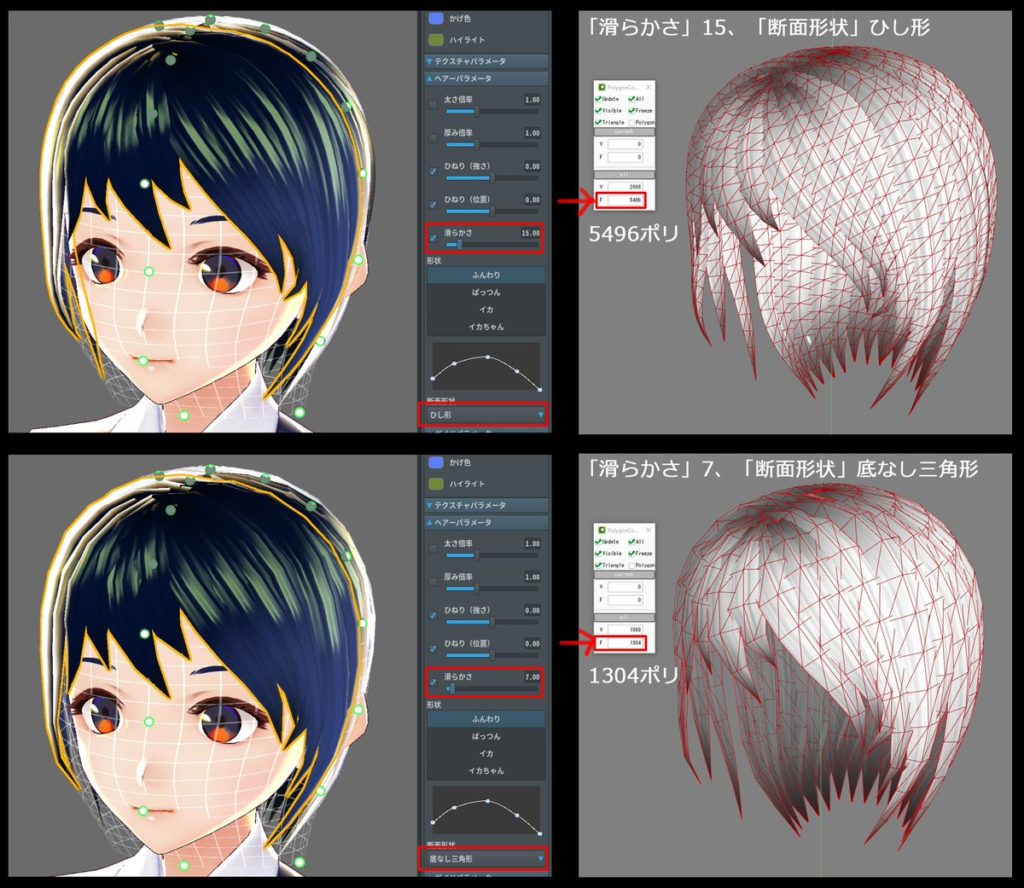
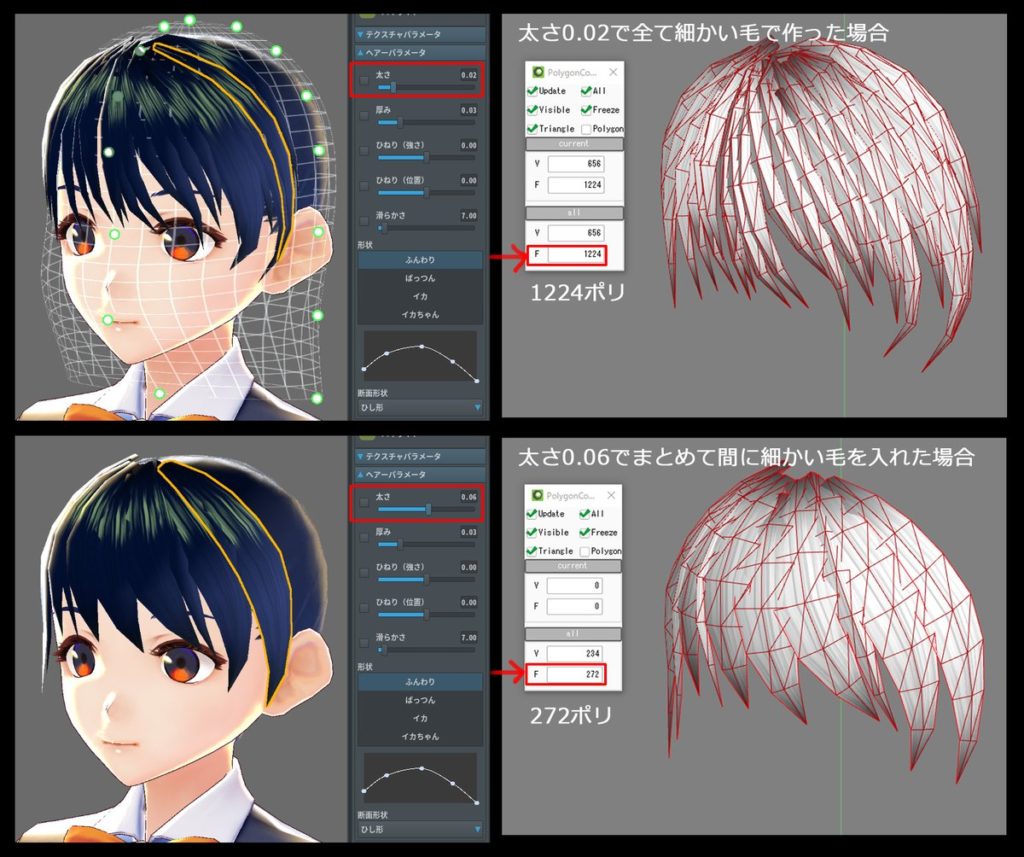
How to decrease the number of hair polygons:
https://vroid.pixiv.help/hc/en-us/articles/360013210674-How-to-decrease-the-number-of-hair-polygons-

*The number of polygons on the right was counted using the external 3D modeling tool Metasequoia.

ひねり(強さ) – Twist (Amplitude)
ひねり(強さ) – Twist (Interval)
滑らかさ – Smoothness
断面形状 – Cross Section
ひし形 – Diamond
三角形 – Triangle
底なし三角形 – Unfilled Triangle
形状 – Curve
ふんわり- Fluffy
ぱっつん – Straight
イカ – Squid
イカちゃん – Ika-Chan
大さ – Width (Under the Hair Parameter Panel)

イカちゃん

Vroid Studio v0.4.0 Beginner Tutorials by Fruitpex
https://youtu.be/49-zvKGZQdE
https://youtu.be/8t3rJmm8xqA

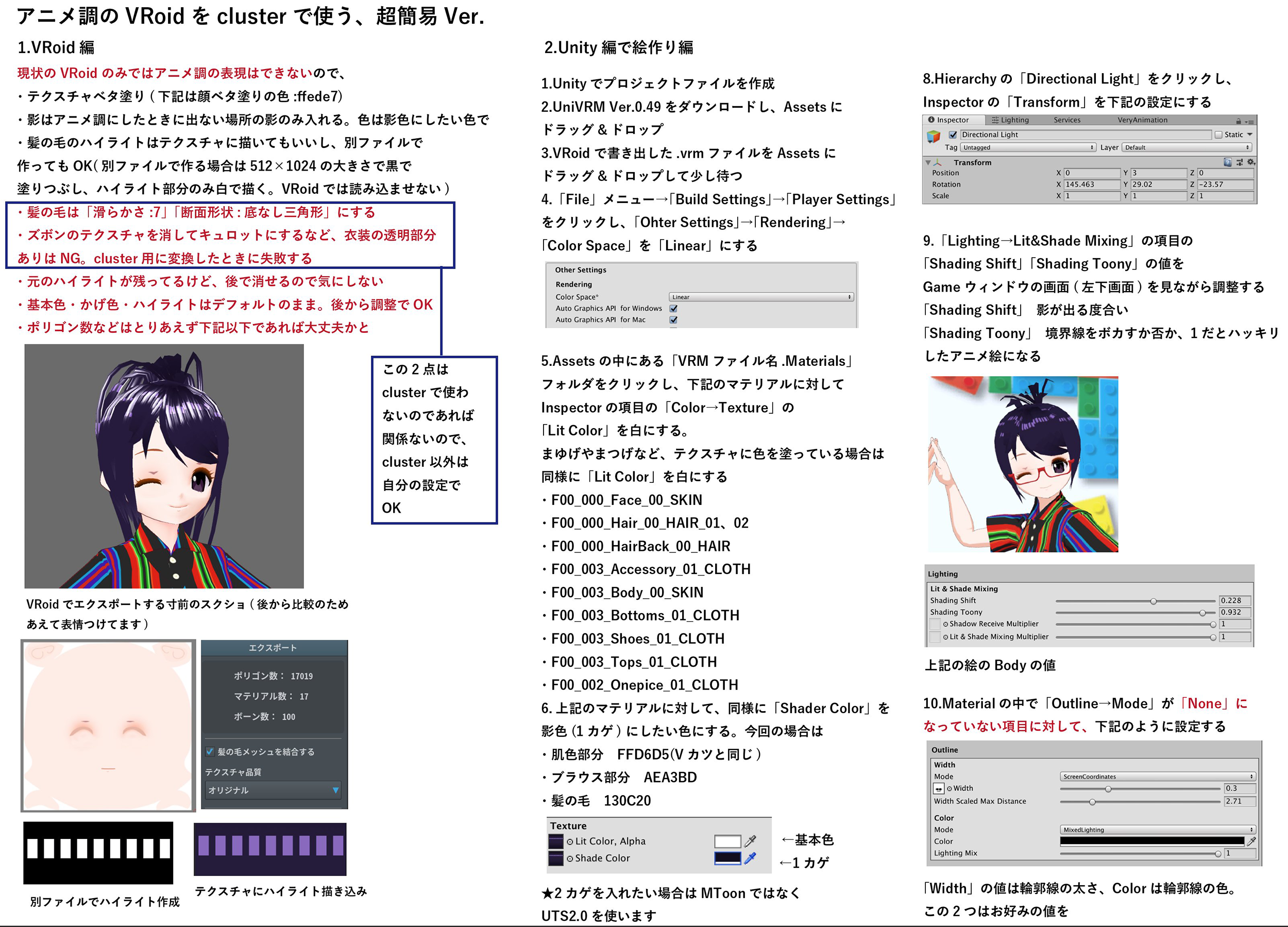
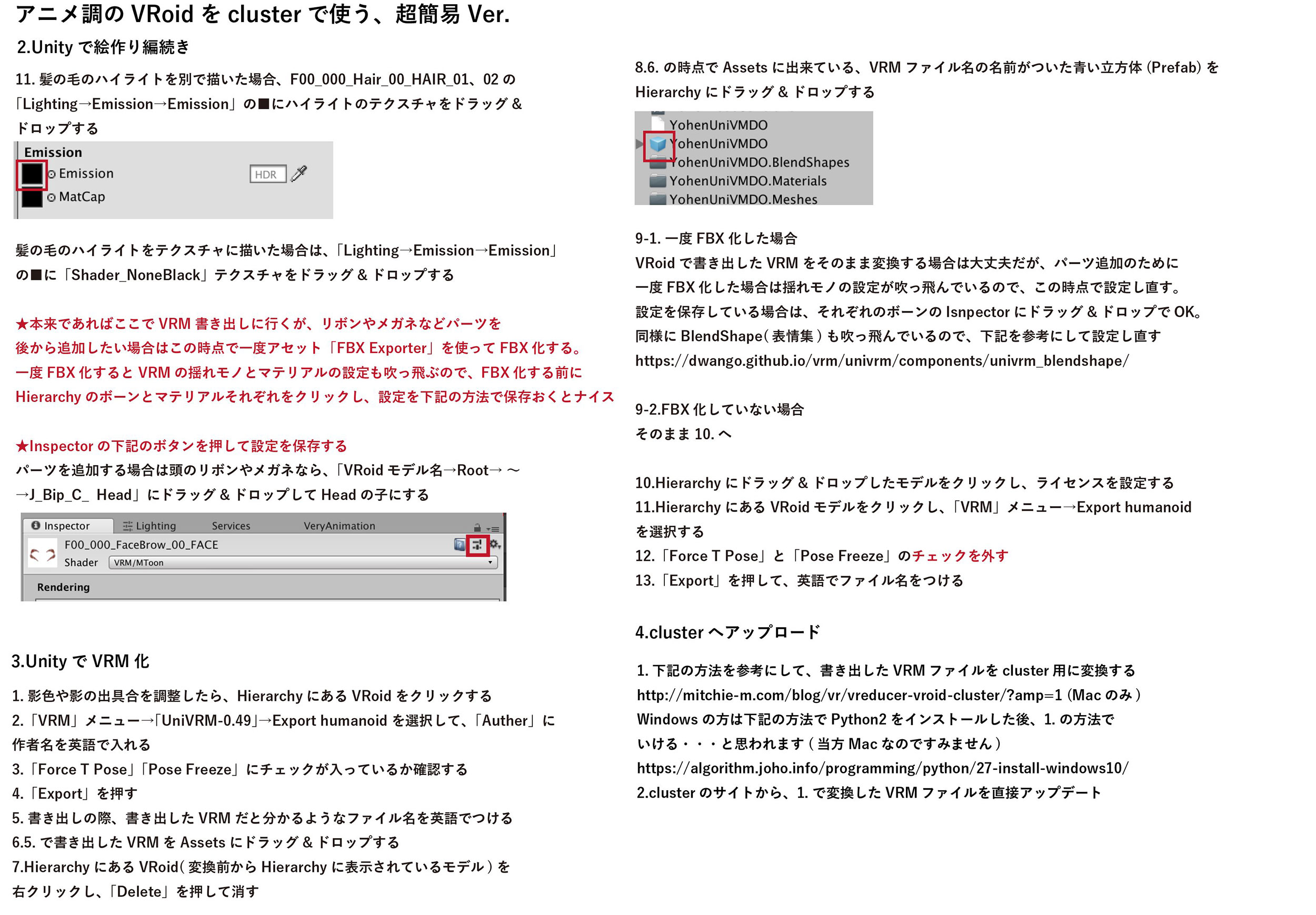
Quick tips from よーへん🌒xR人文V研究者 on twitter to sum it up:
https://twitter.com/361yohen/status/1094929094028873728

アウトライブ PCエンジン – Out Live PC Engine

Posted on March 6, 2020 by admin

Posts navigation

Older posts
Newer posts

Recent Posts

  • AI: You are _____ correct.
  • 英傑大戦 PL084 Rem (レム)
  • (no title)
  • BMP – Rearrange Colormap
  • Reset Allow USB Debugging? Notification

Archives

Proudly powered by WordPress | Theme: MiniZen by Martin Stehle.